Development7 min read
End-to-end WordPress Playwright testing for editor, admin and checkout
Use WordPress Playwright testing to automate block editor, admin, and WooCommerce checkout flows with saved login state, stable data, traces, and CI.
 By Hamza Ahmad AslamWordPress VIP, Performance & Full-Stack Engineer
On this page
- What end-to-end tests catch beyond unit tests
- How to set up WordPress Playwright testing with wp-env
- Install the test packages and start wp-env
- Configure Playwright and save one admin login
- How to test admin settings without brittle selectors
- How to test a custom block in the editor and front end
- Test block editor with Playwright and verify public output
- How to test WooCommerce checkout without live charges
- Seed one fixed product
- Run checkout as a guest
- How to keep WordPress E2E tests stable
- How to run the tests in CI and keep failure evidence
- What to do next
- Frequently asked questions
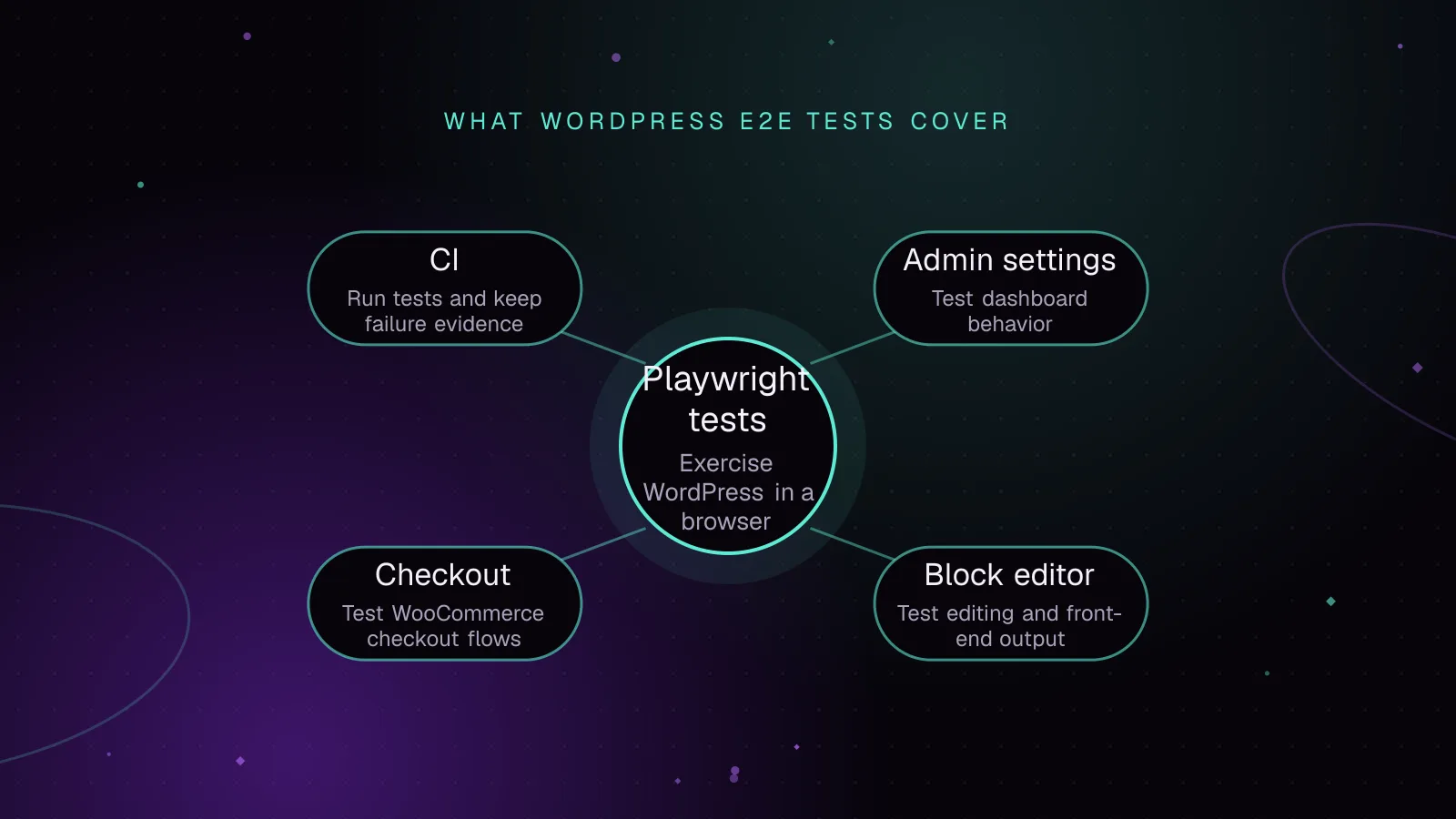
Short answer: WordPress Playwright testing lets a browser verify the editor, wp-admin, and checkout paths that a release depends on. Run those flows against wp-env, reuse a saved admin session, keep test data fixed, and save traces and screenshots when CI fails.
What end-to-end tests catch beyond unit tests
Unit tests check small pieces of code in isolation. End-to-end tests open a browser and exercise WordPress as a user would, with PHP, JavaScript, the database, permissions, browser events, and network requests involved.
That difference matters for release checks. WordPress E2E tests can catch failures such as:
- A block registers correctly in PHP but cannot be inserted in the editor.
- An admin form renders but does not save its value.
- A post saves correctly but its block output is missing on the front end.
- A WooCommerce product reaches checkout but the payment UI never becomes usable.
- A successful server response is followed by a broken browser redirect.
Keep unit tests for business logic and narrow failure diagnosis. Add browser tests for a small set of paths that must work before a release moves forward.
How to set up WordPress Playwright testing with wp-env
The wp-env package reference (opens in a new tab) documents the local WordPress environment. The @wordpress/e2e-test-utils-playwright package (opens in a new tab) extends Playwright with WordPress-aware admin, editor, pageUtils, and requestUtils fixtures.
Install the test packages and start wp-env
Install the environment, Playwright Test, and the WordPress Playwright utilities:
npm install @wordpress/env @playwright/test @wordpress/e2e-test-utils-playwright --save-dev
npx playwright install --with-deps
npx wp-env start
For a plugin repository, a small .wp-env.json can mount the current directory:
{
  "plugins": [ "." ]
}
For a theme repository, use the themes setting instead.
The development environment uses http://localhost:8888 by default. wp-env also documents admin and password as its default local administrator credentials. Override those credentials in any shared test environment.
The Playwright wp-env pairing gives the suite a disposable WordPress installation. Do not point destructive editor, settings, or checkout tests at production.
Configure Playwright and save one admin login
Use one stored browser state for tests that need an administrator. A storage state is a file containing browser authentication data such as cookies.
playwright.config.ts can be kept small:
import { defineConfig, devices } from '@playwright/test';

export default defineConfig({
  testDir: './tests/e2e',
  globalSetup: './tests/e2e/global-setup.ts',
  outputDir: 'test-results',
  use: {
    baseURL: process.env.WP_BASE_URL ?? 'http://localhost:8888',
    storageState: 'playwright/.auth/admin.json',
    trace: 'retain-on-failure',
    screenshot: 'only-on-failure',
  },
  projects: [
    {
      name: 'chromium',
      use: { ...devices['Desktop Chrome'] },
    },
  ],
});
Playwright recommends setup projects when you want setup activity included in reports and traces. The globalSetup option remains supported and fits a small suite that only needs to create one login state.
The Playwright authentication guide (opens in a new tab) recommends keeping stored authentication state out of source control. Add playwright/.auth/ to .gitignore.
Create tests/e2e/global-setup.ts:
import { chromium, type FullConfig } from '@playwright/test';
import { mkdir } from 'node:fs/promises';

const authFile = 'playwright/.auth/admin.json';

export default async function globalSetup(config: FullConfig) {
  const baseURL = config.projects[0].use.baseURL;

  if (typeof baseURL !== 'string') {
    throw new Error('Playwright baseURL is required.');
  }

  await mkdir('playwright/.auth', { recursive: true });

  const browser = await chromium.launch();

  try {
    const page = await browser.newPage();

    await page.goto(new URL('/wp-login.php', baseURL).toString());

    await page
      .getByLabel(/Username or Email Address/i)
      .fill(process.env.WP_USERNAME ?? 'admin');

    await page
      .getByLabel('Password')
      .fill(process.env.WP_PASSWORD ?? 'password');

    await page.getByRole('button', { name: 'Log In' }).click();
    await page.waitForURL('**/wp-admin/**');

    await page.context().storageState({ path: authFile });
  } finally {
    await browser.close();
  }
}
The browser logs in once before the suite. Every normal test then starts with that saved administrator state.
How to test admin settings without brittle selectors
WordPress core's General Settings screen posts its form to wp-admin/options.php. You can test that path through the public labels and button text instead of selecting WordPress CSS classes.
import {
  test,
  expect,
} from '@wordpress/e2e-test-utils-playwright';

test('general settings persist', async ({ admin, page }) => {
  await admin.visitAdminPage('options-general.php');

  const tagline = page.getByLabel('Tagline');
  await tagline.fill('E2E fixture tagline');

  const saveResponse = page.waitForResponse((response) => {
    return (
      response.url().includes('/wp-admin/options.php') &&
      response.request().method() === 'POST'
    );
  });

  await page.getByRole('button', { name: 'Save Changes' }).click();
  await saveResponse;

  await expect(page.getByText('Settings saved.')).toBeVisible();
  await expect(tagline).toHaveValue('E2E fixture tagline');
});
The test waits for the request caused by the save instead of sleeping for an arbitrary period. Keep a settings test like this inside a disposable database because it changes shared WordPress state.
For custom settings pages, keep the same pattern. Locate controls by role or label, wait for the request or navigation caused by the action, then assert the state a user sees.
How to test a custom block in the editor and front end
Test block editor with Playwright and verify public output
The WordPress test utilities know how to create posts and work with the block editor. editor.canvas targets content inside the editor canvas, including the iframe used by the editor.
Replace the example block name and attributes with your own:
import {
  test,
  expect,
} from '@wordpress/e2e-test-utils-playwright';

test('custom notice block renders after publishing', async ({
  admin,
  editor,
  page,
}) => {
  await admin.createNewPost({
    title: 'E2E notice block',
  });

  await editor.insertBlock({
    name: 'acme/notice',
    attributes: {
      message: 'Release check',
    },
  });

  await expect(
    editor.canvas.getByText('Release check')
  ).toBeVisible();

  const postId = await editor.publishPost();

  expect(postId).not.toBeNull();

  await page.goto(`/?p=${postId}`);

  await expect(
    page.getByText('Release check')
  ).toBeVisible();
});
This checks two separate contracts. The editor must accept and display the block, then WordPress must save enough state for the public page to render the expected output.
An editor test that opens existing content can also catch saved markup that no longer matches the block definition after an update; the guide to diagnosing block validation errors explains what that failure means and how to fix it.
For a dynamic block, assert the server-rendered front-end result. For an interactive block, add the smallest browser interaction that proves its public behavior.
How to test WooCommerce checkout without live charges
A Playwright WooCommerce checkout test should use a dedicated test store, fixed products, and a gateway's test mode. Do not submit live payment credentials from CI.
WooPayments provides a documented test mode and test card numbers (opens in a new tab). Test mode processes test transactions rather than live charges.
Seed one fixed product
WooCommerce exposes product management through wp wc. With WooCommerce active in the wp-env installation, you can create the product through wp-env's CLI container:
npx wp-env run cli "wp wc product create --user=admin --name='E2E Download' --slug='e2e-download' --type='simple' --status='publish' --regular_price='19.99' --virtual=true"
Run that seed against a clean fixture. Keep the same slug and product data between runs instead of generating random catalog data.
Enable WooPayments test mode in the dedicated store before running the checkout suite.
Run checkout as a guest
The project-level configuration loads the admin storage state. Reset that state in the checkout file so the shopper starts signed out.
The example below targets a checkout page using the classic [woocommerce_checkout] shortcode. Its payment iframe selector and labels such as "Street address" and "Town / City" belong to that classic checkout flow.
Since WooCommerce 8.3, released in November 2023, the Cart and Checkout blocks are the default checkout experience for new installations. A store using the Checkout block needs a separate payment helper and selectors based on the block's own accessible labels. WooPayments follows that split in its official Playwright shopper helpers (opens in a new tab), with fillCardDetails for classic checkout and fillCardDetailsWCB for the Checkout block.
The example assumes an English classic checkout fixture with US billing fields. If an extension changes those fields, use the accessible labels exposed by that checkout.
import {
  test,
  expect,
} from '@wordpress/e2e-test-utils-playwright';

test.use({
  storageState: {
    cookies: [],
    origins: [],
  },
});

async function fillWooPaymentsTestCard(page) {
  const card = page.frameLocator(
    '#payment .payment_method_woocommerce_payments .wcpay-upe-element iframe'
  );

  await card.locator('[name="number"]').fill('4242424242424242');

  const futureYear = new Date().getFullYear() + 1;
  const expiry = `12${String(futureYear).slice(-2)}`;

  await card.locator('[name="expiry"]').fill(expiry);
  await card.locator('[name="cvc"]').fill('123');
}

test('guest completes a WooPayments test checkout', async ({ page }) => {
  await page.goto('/product/e2e-download/');

  await page
    .getByRole('button', { name: 'Add to cart' })
    .click();

  await page.goto('/checkout/');

  await page.getByLabel(/Email address/i).fill('buyer@example.test');
  await page.getByLabel(/First name/i).fill('E2E');
  await page.getByLabel(/Last name/i).fill('Buyer');

  await page
    .getByLabel(/Country\s*\/\s*Region/i)
    .selectOption('US');

  await page
    .getByLabel(/Street address/i)
    .fill('123 Test Street');

  await page
    .getByLabel(/Town \/ City|City/i)
    .fill('New York');

  await page.getByLabel(/State/i).selectOption('NY');

  await page
    .getByLabel(/ZIP Code|Postal code/i)
    .fill('10001');

  await page.getByLabel(/Phone/i).fill('2125550100');

  await fillWooPaymentsTestCard(page);

  const orderReceived = page.waitForURL(/\/order-received\//);

  await page
    .getByRole('button', { name: 'Place order' })
    .click();

  await orderReceived;

  await expect(
    page.getByText('Thank you. Your order has been received.')
  ).toBeVisible();
});
The payment iframe is the exception to the role-first selector rule because the gateway owns its internal markup. Keep that detail in one helper.
If your site uses another test gateway or a different WooPayments checkout UI, replace that helper rather than spreading gateway selectors through the test.
How to keep WordPress E2E tests stable
Stable browser tests wait for application state instead of elapsed time.
- Prefer
getByRole()andgetByLabel()for controls. They follow the user-facing interface and survive many markup changes. - Wait for the network request, redirect, visible notice, or rendered block caused by an action. Avoid fixed sleeps.
- Seed named products, posts, settings, and users. Random data makes failures harder to reproduce.
- Keep gateway-specific selectors inside a helper.
- Keep state-changing tests away from the same records when files run in parallel.
- Give checkout tests their own store data. Production orders, coupons, inventory, and accounts should never be test fixtures.
A failure should tell you which contract broke. A selector that depends on generated classes often turns a harmless markup change into a false failure.
How to run the tests in CI and keep failure evidence
Start the same environment in CI that developers use locally. The runner needs Node, Docker for wp-env, and the payment test environment required by the checkout spec.
A GitHub Actions job can include these steps after repository checkout and Node setup:
- name: Install dependencies
  run: npm ci

- name: Install Playwright browsers
  run: npx playwright install --with-deps

- name: Start WordPress
  run: npx wp-env start

- name: Seed WooCommerce fixture
  run: npx wp-env run cli "wp wc product create --user=admin --name='E2E Download' --slug='e2e-download' --type='simple' --status='publish' --regular_price='19.99' --virtual=true"

- name: Run browser checks
  run: npx playwright test

- name: Keep Playwright failure artifacts
  if: failure()
  uses: actions/upload-artifact@v7
  with:
    name: playwright-failures
    path: test-results/
The configuration keeps a trace and screenshot when a test fails. Uploading test-results/ means the browser evidence survives the CI job.
Do not treat retries as the fix for an unstable test. A trace should lead you to the request, selector, shared state, or application error that caused the failure.
Example output from a passing run, with illustrative test names and without timing measurements:
Running 3 tests

  ✓ general settings persist
  ✓ custom notice block renders after publishing
  ✓ guest completes a WooPayments test checkout

3 passed
Run these checks before deployment, then keep production checks separate. CI proves the release worked in its test environment. It cannot prove that DNS, a CDN, a payment service, or production configuration remains healthy later.
What to do next
Start with one editor flow, one admin save, and one checkout that would block a release if it failed. Keep performance work separate from behavioral E2E checks; use the guide to speeding up WooCommerce when checkout speed is the problem, and pair deployment gates with the WordPress uptime monitoring guide after code reaches production.
For a plugin, theme, or release pipeline that needs these checks built around its own behavior, see the custom WordPress development service.
Frequently asked questions
Should WordPress end-to-end tests replace PHPUnit tests?
Keep both types of tests. PHPUnit is better for isolated PHP behavior and gives faster feedback, while browser tests check integrated user flows across WordPress, JavaScript, HTTP requests, and rendered pages. Use end-to-end coverage for the small set of paths that must survive every release.
Can Playwright test the WordPress block editor inside its iframe?
Yes. The WordPress Playwright utilities expose editor.canvas for locating content inside the editor canvas, so tests do not need to manage the editor iframe themselves. You can combine that with editor.insertBlock() and editor.publishPost() for block publishing flows.
How do I test WooCommerce checkout without charging a live card?
Use a payment provider's documented test or sandbox mode in a dedicated test store. Seed fixed products, submit the provider's test payment data, and assert the resulting order confirmation. Keep live gateway credentials out of the test environment.
Why do WordPress Playwright tests become flaky in CI?
Common causes are shared mutable data, selectors tied to markup, arbitrary sleeps, and dependencies on changing external state. Prefer role and label selectors, wait for specific browser or network events, and keep fixtures predictable. Save traces and screenshots so each failed run contains enough evidence to diagnose the cause.
Share this article
Enjoyed this? Get the next article by email.
Keep reading
 Enterprise
7 min read
WordPress CI/CD with GitHub Actions: tests, builds and safe deploys
Build a WordPress CI CD GitHub Actions pipeline that tests code, builds assets and Composer dependencies, deploys atomically, and rolls back safely.
- WordPress
- Enterprise
- Automation
 Monitoring
7 min read
WordPress visual regression testing before and after updates
Use WordPress visual regression testing to catch layout breaks after updates, stabilize screenshots, review diffs, and approve baselines safely.
- WordPress
- Monitoring
- Testing
 Monitoring
8 min read
WordPress uptime monitoring: checks that catch site failures
Set up WordPress uptime monitoring that checks key pages, content, checkout, TLS, cron heartbeats and alerts so visitor-facing failures get caught.
- WordPress
- Monitoring
- Uptime