Monitoring8 min read
WordPress uptime monitoring: checks that catch site failures
Set up WordPress uptime monitoring that checks key pages, content, checkout, TLS, cron heartbeats and alerts so visitor-facing failures get caught.
 By Hamza Ahmad AslamWordPress VIP, Performance & Full-Stack Engineer
On this page
- Why WordPress uptime monitoring needs more than an HTTP 200
- What WordPress uptime monitoring should check
- Check known content, not only the status code
- Check deep paths that represent real use
- Measure response time as its own signal
- Monitor TLS certificate and domain expiry separately
- How to design checks that find failures without creating noise
- How heartbeat monitoring catches failed scheduled work
- How to route WordPress downtime alerts without fatigue
- How to build a minimal self-hosted check with curl and OpenSSL
- Check page content with curl
- Print the certificate expiry date with OpenSSL
- Combine content and TLS checks with one exit code
- What to do next
- Frequently asked questions
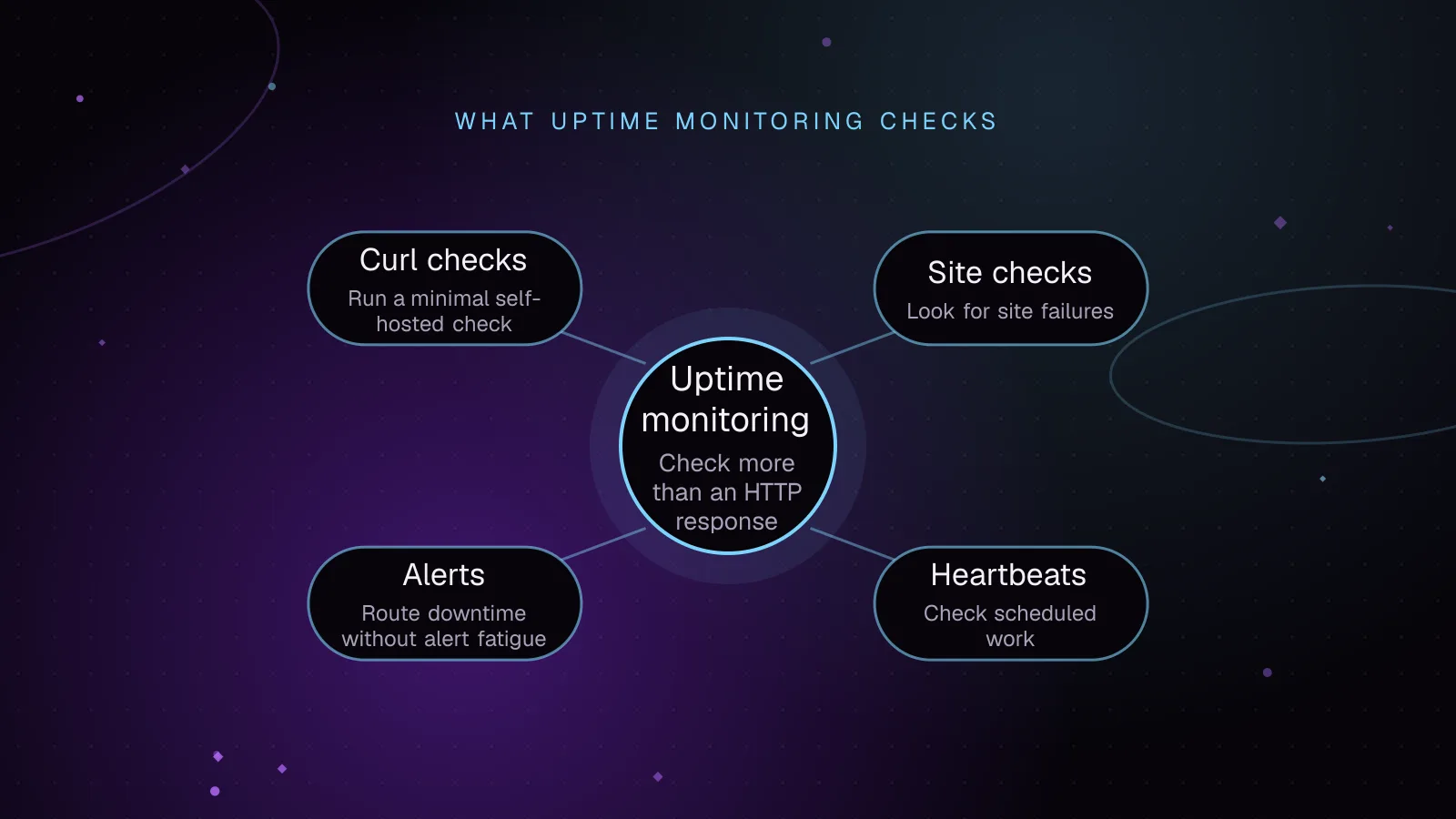
Short answer: WordPress uptime monitoring should verify that important visitor paths return the right content, not merely an HTTP success status. Check dynamic pages, response time, TLS and domain expiry, then use heartbeats for scheduled work and alert rules that confirm failures before paging someone.
Why WordPress uptime monitoring needs more than an HTTP 200
A homepage status check answers a narrow question: did one URL return an HTTP response that looks successful? It can still miss failures that matter to visitors and store revenue.
A CDN or full-page cache can keep serving a homepage while PHP, the database, or an origin service is failing. A misconfigured application can also return a friendly error template with HTTP 200. A status-only probe sees success even though the page content is wrong.
Inner pages can fail while the homepage works. A theme or plugin path may trigger a fatal error only on a specific template. A product page can break because its data or extension code differs from the homepage. An empty or nearly empty response may still reach a monitor without proving that the expected page rendered.
WooCommerce makes this gap more obvious. A cached marketing page may stay available while cart or checkout requests fail. Checkout also depends on dynamic state that a cache-only homepage probe never exercises.
Logged-in traffic can fail while anonymous traffic looks healthy. A public page may come from cache, while authenticated requests reach PHP and the database. If that dynamic path has a database error, a simple homepage check can remain green.
The practical target is visitor-visible function. Your checks should prove that selected pages contain expected content and that key dynamic paths still respond correctly.
What WordPress uptime monitoring should check
A useful monitor combines several independent signals. No single probe covers the full application.
Check known content, not only the status code
For an important page, look for a stable marker that should be present in a valid response. Choose text that belongs to the page template or core content and is unlikely to change during routine edits.
This catches cases where the server returns HTTP 200 with an error page, empty template, maintenance notice, or unexpected redirect destination. Keep the marker specific enough to prove that the intended page rendered.
Avoid markers produced only by ads, personalization, rotating banners, or third-party scripts. Those dependencies can fail without meaning WordPress itself is down.
Check deep paths that represent real use
A homepage should be only one target. Add checks for paths that exercise different WordPress code and data.
- Check the login page or the actual protected login route used by the site.
- Check a stable product page on WooCommerce stores.
- Check that the checkout route is reachable and renders the expected checkout shell.
- Check a public WordPress REST API route that your front end or integrations depend on.
- Check another inner content type that uses a different template or plugin path.
If logged-in failures matter, use a dedicated test account with only the access the check needs. Keep its credentials out of URLs and logs, and treat an authentication failure as a separate signal from public uptime.
The WordPress REST API reference (opens in a new tab) documents the core resources and routes available through the API. Pick an endpoint your site is expected to expose, then validate both its HTTP result and a small piece of expected JSON structure or content.
For WooCommerce, the Store API documentation (opens in a new tab) covers public customer-facing product, cart, and checkout endpoints. A richer synthetic test can use an isolated test session, but do not let production monitoring submit a live payment or create unwanted orders.
Measure response time as its own signal
A page can be technically up and still be too slow to use. Record response time for each probe and keep it separate from availability.
Watch for a sustained change against that endpoint's normal behavior rather than copying a universal threshold. A cached homepage, REST route, login page, and checkout request have different workloads.
Measure from more than one location when possible. A slow probe from one network may be a route problem, while slower results from several locations point more strongly to the site or its upstream services.
Monitor TLS certificate and domain expiry separately
SSL certificate expiry monitoring should run independently of page-content checks. An HTTPS request can fail completely once certificate validation fails, and certificate warnings need lead time before that point.
TLS also proves server identity and protects HTTPS traffic. Mozilla's TLS security documentation (opens in a new tab) explains the role of certificates in server authentication.
Domain expiry is a different failure mode. Track the registration expiry shown by your registrar, and use registry data where available. Verify that renewal settings and billing remain valid. A healthy certificate does not prove that the domain registration is safe from expiry.
How to design checks that find failures without creating noise
Check frequency should follow business impact and expected recovery time. Run revenue and login paths more often than low-risk informational pages. The goal is to notice an outage quickly without turning a short network wobble into a page.
Use multiple monitoring locations for public services. A probe from one region can fail because of local DNS, routing, or provider trouble. A second location gives you evidence that the problem is reproducible.
For high-severity alerts, confirm a failure from another location before escalating when your monitoring system supports that pattern. This reduces alerts caused by the monitor's own network path.
Consecutive-failure rules solve a related problem. A single failed probe can trigger an immediate recheck, while paging can wait for the failure to persist. Keep the rule stricter for noisy endpoints and more sensitive for checkout, login, or a full-site outage.
Also separate availability from performance. A slow response warning should not look identical to a hard failure. The person receiving the alert needs to know whether the site is unreachable, wrong, slow, or missing a scheduled heartbeat.
How heartbeat monitoring catches failed scheduled work
Page checks only prove that something answered. Scheduled jobs need a different model: the job reports success after it finishes.
WordPress uses WP-Cron for time-based tasks. The official WP-Cron documentation (opens in a new tab) explains that WP-Cron checks for due work on page loads rather than running continuously like a system scheduler.
That means a site can look available while an expected task is late or never completes. Examples include imports, feeds, cleanup jobs, report generation, and queue processing.
Heartbeat monitoring solves this by giving the task a unique URL to ping after successful completion. The monitoring service alerts when the expected ping stops arriving.
Place the ping at the end of the successful job, not at the beginning. A start-only heartbeat proves that execution began, but it does not prove that the work completed.
For a system cron job, chain the heartbeat request after the job with && so the ping is sent only when the job exits successfully. This example runs an import every 15 minutes:
*/15 * * * * /usr/local/bin/run-import.sh && /usr/bin/curl --fail --silent --show-error --max-time 10 https://heartbeat.example.net/ping/job-token >/dev/null
Set the heartbeat monitor's expected interval to match the job schedule. Confirm the absolute curl path on the host before relying on /usr/bin/curl.
For WP-Cron-driven work, send the heartbeat from the job callback only after the operation succeeds. If the task fails before that point, the missing heartbeat becomes the signal.
How to route WordPress downtime alerts without fatigue
Alerting should match impact. A total outage, failed checkout, invalid TLS certificate, or broken login path deserves faster escalation than a slow informational page.
Group repeated failures into one incident instead of sending a fresh message for every probe. Preserve the latest evidence inside the incident so the responder can see which locations and paths are still failing.
Use maintenance windows for planned releases and infrastructure work. Scope them to affected checks and end them explicitly so they do not hide a later outage.
Route certificate or domain expiry warnings to a maintenance queue. Route active visitor failures to the channel watched during support coverage.
A client status page should describe service impact in plain terms. Host it separately from the WordPress site being monitored so the status page is still reachable during a site outage.
How to build a minimal self-hosted check with curl and OpenSSL
You can build a small external probe with standard command-line tools. Run it from a machine that is not on the same application server, otherwise a server-wide failure can take out both the site and its monitor.
Check page content with curl
This Bash example follows redirects, fails on HTTP errors, suppresses the progress meter, keeps error messages, uses a 10-second transfer timeout as a configuration example, and verifies expected content.
URL='https://www.example.com/'
MARKER='Example Domain'

body="$(
  curl --fail --silent --show-error --location \
    --max-time 10 \
    "$URL"
)" || exit 1

[[ "$body" == *"$MARKER"* ]] || exit 1
printf 'OK: expected content found\n'
Example output for a healthy illustrative run:
OK: expected content found
To record HTTP status and total transfer time separately, curl can write those values after the request:
curl --output /dev/null --silent --show-error --location \
  --max-time 10 \
  --write-out 'status=%{http_code} time_total=%{time_total}\n' \
  "$URL"
Example output, with illustrative values rather than a measurement from a real site:
status=200 time_total=0.284
Print the certificate expiry date with OpenSSL
The following command connects with SNI and passes the returned certificate to openssl x509, which prints its notAfter value.
openssl s_client \
  -servername www.example.com \
  -connect www.example.com:443 \
  </dev/null 2>/dev/null |
openssl x509 -noout -enddate
Example output, using an illustrative date:
notAfter=Dec 31 23:59:59 2027 GMT
For an actual monitor, parse that date or use your monitoring platform's native certificate check so it can warn before expiry.
Combine content and TLS checks with one exit code
This script fails if the HTTPS request fails, expected content is missing, or the certificate cannot be read. The HTTPS curl request also performs normal certificate verification unless curl is configured otherwise.
#!/usr/bin/env bash
set -uo pipefail

URL="${URL:-https://www.example.com/}"
HOST="${HOST:-www.example.com}"
MARKER="${MARKER:-Example Domain}"
TIMEOUT_SECONDS="${TIMEOUT_SECONDS:-10}"

body="$(
  curl --fail --silent --show-error --location \
    --max-time "$TIMEOUT_SECONDS" \
    "$URL"
)" || {
  printf 'CRITICAL: HTTP or TLS request failed\n'
  exit 1
}

if [[ "$body" != *"$MARKER"* ]]; then
  printf 'CRITICAL: expected content missing\n'
  exit 1
fi

expiry="$(
  openssl s_client \
    -servername "$HOST" \
    -connect "$HOST:443" \
    </dev/null 2>/dev/null |
  openssl x509 -noout -enddate
)" || {
  printf 'CRITICAL: certificate read failed\n'
  exit 1
}

printf 'OK: content present; %s\n' "$expiry"
exit 0
Example output, again illustrative:
OK: content present; notAfter=Dec 31 23:59:59 2027 GMT
What to do next
Start with the visitor paths that would hurt most if they failed, then add content validation, TLS and domain expiry checks, and heartbeats for scheduled work.
If you manage a larger set of sites, use the guide to monitor many WordPress sites without alert fatigue to structure routing and ownership. The Fleet Sentinel case study shows how these checks come together in a WordPress fleet monitoring platform I built.
Pair uptime checks with WordPress plugin vulnerability monitoring, because availability does not tell you whether installed code has a disclosed security issue. If you want monitoring, updates, and incident handling owned together, see the WordPress maintenance service.
Frequently asked questions
What should a WordPress uptime monitor check besides the homepage?
Check stable inner pages, expected page content, login reachability, a representative product or checkout route, and any REST endpoint your site depends on. Track response time, TLS certificate expiry, domain expiry, and scheduled-job heartbeats as separate signals.
Can a WordPress site be down even if the monitor gets HTTP 200?
Yes. A cache or misconfigured application can return HTTP 200 for an error page, empty response, or stale content while dynamic requests are failing. Content validation and deep-path checks catch failures that status-only monitoring misses.
How does heartbeat monitoring differ from normal uptime monitoring?
Uptime monitoring sends requests to the site and checks the response. Heartbeat monitoring expects a scheduled job to send a ping after successful work, then alerts when that ping stops arriving.
Should WooCommerce monitoring place a real test order?
Usually, no. A basic check can validate product and checkout reachability without creating orders or charging a payment method. If you need a full synthetic transaction, isolate it carefully and prevent it from touching live fulfillment or payment flows.
Share this article
Enjoyed this? Get the next article by email.
Keep reading
 Monitoring
5 min read
How to monitor WordPress sites without alert fatigue
Monitor WordPress sites with signed agent requests, vulnerability checks and alerts grouped by severity. Lessons from building Fleet Sentinel.
- WordPress
- Monitoring
- Security
 Monitoring
7 min read
WordPress visual regression testing before and after updates
Use WordPress visual regression testing to catch layout breaks after updates, stabilize screenshots, review diffs, and approve baselines safely.
- WordPress
- Monitoring
- Testing
 Monitoring
7 min read
The WordPress debug log: turn it on safely, find it, and read it
Turn on the WordPress debug log safely, find its file, fix missing logs, read PHP errors, protect access, and rotate or disable logging after debugging.
- WordPress
- Monitoring
- PHP