Security14 min read
PHP critical security update: PHP2Shell leak and fixes
Check which PHP versions PHP2Shell affects, find the version your WordPress site runs, install the October 2026 fix, and review signs of compromise.
 By Hamza Ahmad AslamAI & WordPress Developer | Speed Optimization & Site Security
On this page
- When were the PHP2Shell vulnerabilities found and released?
- How was PHP2Shell discovered, and how did the leak happen?
- What attacks were reported on October 21?
- What do CVE-2026-109618 and CVE-2026-109619 do?
- CVE-2026-109618: out-of-memory corruption
- CVE-2026-109619: stale global state
- Which PHP web server setups are exposed?
- How do you check your PHP version and whether it is fixed?
- Check the version in WordPress
- Check from the command line
- Compare the version with the security release
- How do you update PHP on WordPress hosting or a VPS?
- Shared and managed WordPress hosting
- Ubuntu and Debian servers using distribution packages
- Ondřej PPA, Remi repository and custom builds
- What can you do if you cannot update PHP today?
- Reduce out-of-memory and session attack paths
- Block multipart requests when the site does not need them
- What signs of compromise should you check after updating?
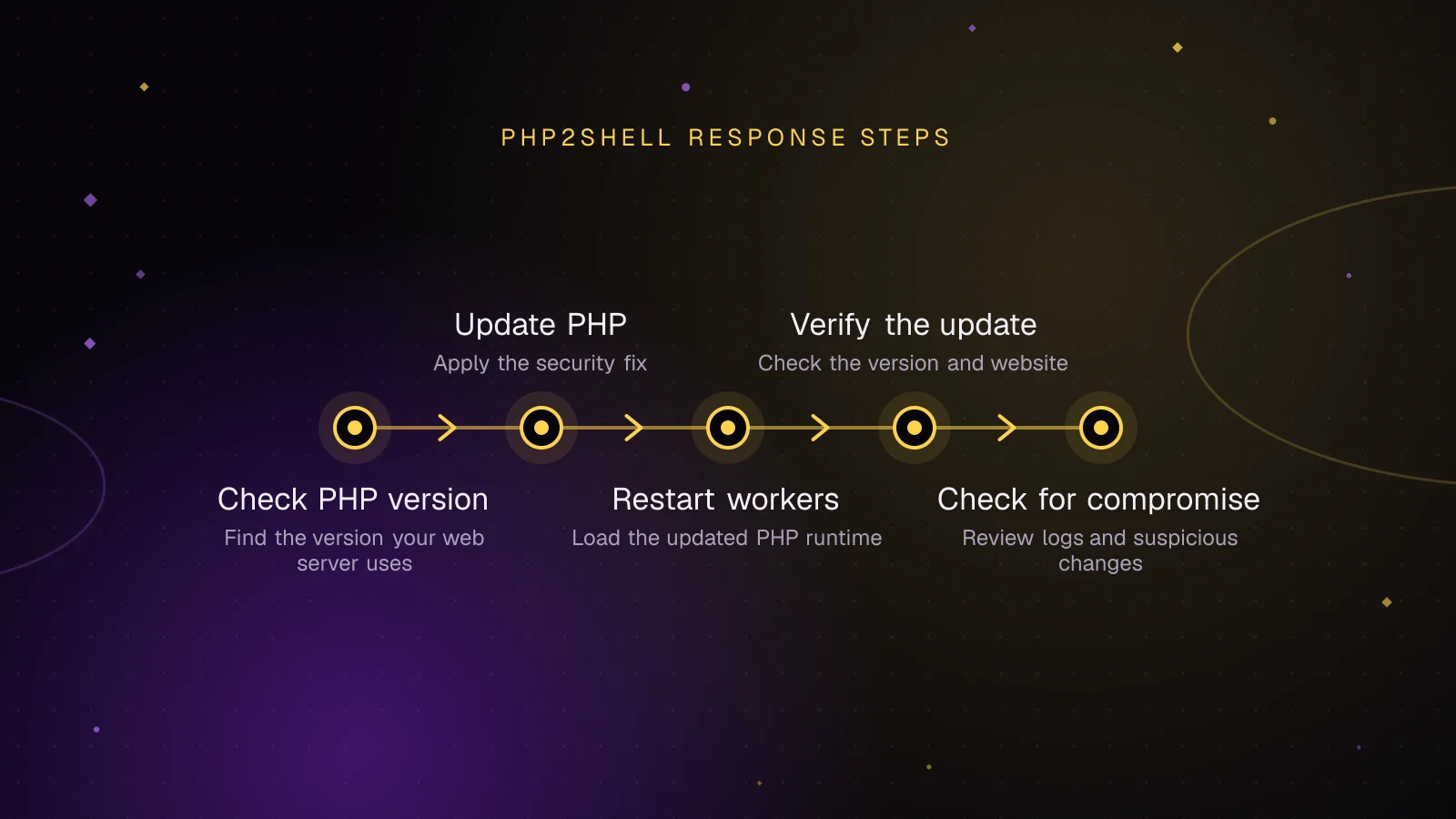
- PHP2Shell response checklist to copy
- What should you do next if your WordPress site was exposed?
- Frequently asked questions
PHP released a PHP critical security update on Wednesday, October 21, 2026, for two vulnerabilities known as PHP2Shell that allow remote code execution without authentication. The fixed versions are PHP 8.5.12, 8.4.27, 8.3.36 and 8.2.35. Update the PHP runtime serving your website now, or install a confirmed security backport from your Linux or hosting vendor.
The bugs are CVE-2026-109618 and CVE-2026-109619. Both carry an official CVSS v4.0 score of 9.2. They affect PHP itself, so updating WordPress, WooCommerce or a security plugin cannot repair the vulnerable engine.
The PHP security advisory (opens in a new tab) says every PHP installation handling web requests is at risk. It considers Apache mod_php the highest-risk setup and states that updating is the only safe choice.
When were the PHP2Shell vulnerabilities found and released?
Researchers reported the bugs privately in August. Details leaked on October 20, prompting an emergency announcement and an earlier public release.
| Date and time (UTC) | What happened | Source |
|---|---|---|
| August 1, 2026 | Calif began investigating PHP remote code execution paths. | Sansec |
| August 11 | Calif reported its first bug to PHP. | Sansec |
| August 24 | Wiz Research reported the vulnerabilities to PHP. | Sansec |
| October 20, 15:20 | A Hacker News post claimed two critical PHP vulnerabilities would be disclosed. | Cyber Kendra |
| October 20, later | watchTowr confirmed the flaws were real. PHP announced an earlier security release. | Cyber Kendra, PHP |
| October 21, 07:34 | Hosting partners reported active exploitation incidents to Patchstack. | Patchstack |
| October 21, 07:43 | Cloudflare reported early attacks and deployed initial WAF rules. | Sansec, Patchstack |
| October 21, 13:52 | Patchstack timestamped the release of the fixed versions. | Patchstack |
| October 21, 14:00 | PHP's announced release time; Sansec also records publication at this time. | PHP, Sansec |
The release timing differs between reports. Huntress says the builds appeared around 9:30 a.m. Eastern time, or 13:30 UTC. Patchstack recorded 13:52 UTC, while PHP had announced 14:00 UTC. As of October 21, the PHP changelog dates these releases October 22, but PHP's release announcements are dated October 21.
The patches are available as of October 21. The differing timestamps do not change which versions you need.
How was PHP2Shell discovered, and how did the leak happen?
The underlying memory-handling problem has a longer history than this week's disclosure.
According to Sansec's PHP2Shell research (opens in a new tab), Stefan Esser identified a related PHP memory-limit problem in 2004. PHP bug #78876 described multipart input exhausting memory in 2020. An OSTIF and Quarkslab audit found another related out-of-memory issue in 2024, without establishing exploitation.
Calif began work on August 1, 2026, and reported its first bug on August 11. Wiz Research reported vulnerabilities on August 24. Sansec credits the discoveries to Ryan Austin of Calif, Wiz Research and OpenAI. Patchstack reports that Wiz demonstrated unauthenticated remote code execution against WordPress and Drupal.
The official GitHub advisories (opens in a new tab) credit lcfr-hax, sagitzadik-wiz, tomash-areion and amyb-oai as reporters. They credit arnaud-lb, iluuu1994, bukka and ndossche for remediation.
Researchers and PHP developers were working under an embargo, a private disclosure period intended to give maintainers and software vendors time to prepare fixes.
On October 20, that plan broke down.
As Cyber Kendra documented (opens in a new tab), a "Tell HN" Hacker News post appeared at 15:20 UTC. It cited a "reliable source" and claimed that two PHP vulnerabilities rated CVSS 10.0 would soon be disclosed.
The poster supplied no supporting evidence. The post was flagged and removed, but screenshots had already spread across X and Mastodon.
Security firm watchTowr subsequently confirmed that the flaws were real. It said the original embargo was intended to last until Thursday, October 22, at 11 a.m. Eastern time.
PHP published an advance notice on October 20, moving the planned release to Wednesday, October 21, at 14:00 UTC. It reserved the option to publish sooner if details or evidence of exploitation emerged.
Huntress reported that a short exploit video appeared online briefly before being removed.
The initial leak used a severity score of 10.0 without naming a CVSS version. The official advisories rate both vulnerabilities 9.2 under CVSS v4.0, with this vector:
CVSS:4.0/AV:N/AC:H/AT:P/PR:N/UI:N/VC:H/VI:H/VA:H/SC:N/SI:N/SA:N
What attacks were reported on October 21?
Reports of exploitation need careful attribution.
In its October 21 live report (opens in a new tab), Patchstack said hosting partners had reported multiple active exploitation incidents by 07:34 UTC.
At 07:43 UTC, Cloudflare's chief technology officer reported early attacks. Cloudflare deployed web application firewall (WAF) rules to block known attack request patterns.
Those rules offer partial protection. As Patchstack explains, they help only when the origin server accepts web traffic exclusively through Cloudflare. Direct access to an exposed origin can bypass them.
Patchstack also reported that several organizations temporarily took services offline. These included Dutch government services DigiD and MijnOverheid.
The evidence was less certain than those early reports might suggest.
At 13:57 UTC, Patchstack said its own telemetry showed probing but no hard evidence of breaches. In Huntress's October 21 update (opens in a new tab), Huntress said it had observed no in-the-wild exploitation within its partner base as of 10 a.m. Eastern time.
These statements describe different monitoring populations. They do not establish that every reported attack succeeded, or that an unmonitored website remained untouched.
As of October 21, treat an internet-facing, unpatched PHP installation as exposed.
What do CVE-2026-109618 and CVE-2026-109619 do?
Both bugs involve memory that PHP handles incorrectly during request processing. Their failure paths differ, which matters when choosing temporary safeguards.
CVE-2026-109618: out-of-memory corruption
PHP can run out of memory while preparing data for a web request.
Normally, PHP should stop that request safely. In vulnerable versions, its out-of-memory handling can interrupt initialization and leave internal data incomplete. Shutdown code may then act on that invalid data.
Technically, PHP used longjmp() to escape from an out-of-memory condition. Multipart parsing, the processing used for file uploads and certain forms, can exhaust memory despite apparently acceptable request limits.
The official advisory confirms full remote code execution over HTTP against Apache mod_php with default PHP limits. The attack runs before application code starts.
PHP-FPM, a process manager that runs PHP through separate workers, exits a child when request initialization fails. This interrupts the demonstrated startup path. The advisory identifies other potentially susceptible FPM paths but reports no complete FPM exploit for this CVE.
The patch replaces that out-of-memory longjmp() behavior with delayed soft out-of-memory handling and a hard failure using _exit().
CVE-2026-109619: stale global state
A persistent PHP worker handles multiple requests during its lifetime.
Some internal state can remain associated with an earlier request after the memory behind it has been released. A later request may access that memory again.
This is called use-after-free: code uses memory after the program has returned it for reuse.
The consequence can include memory disclosure or remote code execution with the PHP worker account's permissions.
The official stale-global-state advisory (opens in a new tab) confirms two important cases:
- PHP 8.5's
fatal_error_backtracesmechanism, which underlies the confirmed mod_php exploit. - The session upload progress lifecycle, with validated cases involving mod_php and PHP-FPM.
The PHP-FPM session case involves an error after successful request startup and depends on suitable application behavior.
The patch resets affected state more thoroughly across request boundaries. Turning off one vulnerable feature cannot cover every possible path involving extensions, errors or application callbacks.
Which PHP web server setups are exposed?
PHP identifies all installations serving web requests as at risk, including setups that run PHP independently from Apache.
| Server setup | What the official advisories establish |
|---|---|
| Apache mod_php | Highest confirmed risk. The out-of-memory exploit works before application code executes. Stale-state exploitation is also confirmed. |
| PHP-FPM | A failed startup terminates its child, preventing that particular out-of-memory path. The session upload progress case for CVE-2026-109619 is validated. |
| php-cgi | Included in PHP's affected web-serving configurations. The advisories do not establish a separate complete exploit demonstration for this setup. |
| FrankenPHP | Source analysis suggests susceptibility to the out-of-memory startup path. An equivalent early configuration consumer for the stale-state issue was not established in its default setup. |
| LiteSpeed / LSAPI | Included in PHP's risk notice. LSAPI resembles FPM for the out-of-memory path; application-specific exploitation was considered likely but unvalidated. |
An unvalidated path means researchers have not demonstrated that particular exploit. It does not establish safety.
The affected applications include WordPress, WooCommerce, Magento, Drupal, Joomla, Laravel, Symfony, Nextcloud and phpMyAdmin, according to Sansec. The relevant weakness lives in PHP rather than an individual application's plugin code.
That also explains why a WordPress security plugin cannot repair it.
How do you check your PHP version and whether it is fixed?
Check the version in WordPress
Sign in to your WordPress dashboard and open:
Tools > Site Health > Info > Server
Find the PHP version reported for your site.
Check each separate WordPress installation, including staging sites. Do not assume that every domain on one hosting account uses the same PHP version.
Check from the command line
If you have SSH access, run:
php -v
This reports the command-line PHP interpreter.
Your web server may use another PHP binary, version or configuration. A fixed command-line PHP installation does not prove that the PHP-FPM pool or Apache module serving visitors is fixed.
If necessary, create a temporary, access-restricted PHP file in the site's document root containing:
<?php
phpinfo();
Open it through the web server, verify the PHP version and loaded configuration, then delete the file immediately.
phpinfo() can expose server paths and configuration details. Never leave that diagnostic page publicly accessible.
Compare the version with the security release
| PHP branch | Fixed release | Status on October 21, 2026 |
|---|---|---|
| PHP 8.5 | 8.5.12 | Earlier 8.5 releases affected |
| PHP 8.4 | 8.4.27 | Earlier 8.4 releases affected |
| PHP 8.3 | 8.3.36 | Earlier 8.3 releases affected |
| PHP 8.2 | 8.2.35 | Earlier 8.2 releases affected; support ends December 31, 2026 |
| PHP 8.1 and older | No regular upstream release | Unsupported; seek a vendor backport or move to a supported branch |
PHP made minimal source backports available for PHP 7.4, 8.0 and 8.1 because of the severity. These are intended for source builds or environments without a suitable long-term-support vendor.
Wiz Research says every PHP version back to 5.4 is affected by at least one issue.
A Linux distribution may retain an older PHP version number while applying security patches to its own package. Check its security notice and package revision before deciding that a backported build is vulnerable.
How do you update PHP on WordPress hosting or a VPS?
Shared and managed WordPress hosting
Contact your host and request confirmation that the PHP runtime serving your domain has both CVE fixes.
Ask for the exact installed build, the deployment time and whether the host used an upstream release or a backported vendor package.
If your account provides a PHP version selector, use the available patched branch. cPanel exposes per-domain selections through MultiPHP Manager. Plesk installations may expose a PHP version selector through their hosting controls.
A version switcher cannot install a security release the hosting provider has not yet supplied.
Before changing PHP branches, back up the website and database. Check the application's PHP compatibility and test the storefront, payments, forms and administrative functions afterward.
Ubuntu and Debian servers using distribution packages
First check your distribution's security advisory. The PHP project provided patches to distributions and long-term-support vendors ahead of publication.
For a server using standard APT-managed packages, these commands refresh package information and install available upgrades:
sudo apt update
sudo apt upgrade
Review APT's proposed changes before accepting them. apt upgrade can update packages beyond PHP.
The package version string can differ between Debian, Ubuntu and their supported releases. The presence of an upgrade alone does not confirm that both CVEs are fixed.
After installing the patched packages, restart the relevant PHP service so workers load the replacement binary.
For example, on a Debian or Ubuntu server running the php8.3-fpm service:
sudo systemctl restart php8.3-fpm
For Apache using mod_php on a Debian or Ubuntu server:
sudo systemctl restart apache2
Use the actual service name on your system. Verify the web-serving PHP version after the restart.
Ondřej PPA, Remi repository and custom builds
If you installed PHP through the Ondřej Surý PPA, check that the repository offers a build containing the fixes. Use APT to install it only after confirming the package revision.
For Remi's repository on RHEL-based systems, the situation was different. As of October 21, the PHP project and Sansec said the volunteer-maintained repository would not publish fixed packages that day.
The PHP project advised using distribution-provided packages or a patched source build instead.
Changing package sources can affect extensions, dependencies and service configuration. Plan that migration with the server administrator rather than mixing incompatible packages.
For custom builds, use the patched PHP source and ensure the running web server loads the rebuilt binary. Rebuilding only the command-line interpreter leaves the web-serving installation exposed.
What can you do if you cannot update PHP today?
PHP states that none of the available configuration measures is a complete fix. Apply them only while arranging a patched release or vendor backport.
Reduce out-of-memory and session attack paths
For an application that does not require file uploads, a temporary php.ini configuration is:
memory_limit = -1
post_max_size = 8M
session.upload_progress.enabled = 0
If uploads are necessary, PHP recommends post_max_size = 32M instead. Keep upload_max_filesize below that value.
Setting memory_limit = -1 removes the predictable PHP memory-limit failure used in the confirmed out-of-memory exploit. It also removes the ordinary per-request memory ceiling. An underlying memory allocation can still fail.
Lowering post_max_size can break large requests and uploads. Disabling session upload progress can affect applications that depend on that feature.
For PHP-FPM, apply the important controls administratively to every affected pool:
php_admin_value[memory_limit] = -1
php_admin_flag[session.upload_progress.enabled] = off
On PHP 8.5, also disable fatal error backtraces in the applicable administrative configuration:
fatal_error_backtraces = 0
Do not rely on ini_set() or an FPM .user.ini file to disable upload progress. Those settings can take effect too late for the affected request lifecycle.
Restart every PHP worker after changing these settings. Check their effective values through the web-serving runtime.
Container or cgroup memory limits can provide an additional boundary. Prefer configurations that terminate an affected worker rather than the entire service.
Do not substitute RLIMIT_AS or RLIMIT_DATA. The PHP advisory warns that these limits can trigger the vulnerable memory allocation failure.
Block multipart requests when the site does not need them
Sansec suggests blocking multipart/form-data requests at the web server if the application has no uploads or forms that require this encoding.
Inside each relevant nginx server block:
if ($http_content_type ~* "multipart/form-data") {
return 403;
}
Check the configuration and reload nginx:
sudo nginx -t && sudo systemctl reload nginx
This blocks file uploads, including WordPress media uploads, and can break contact forms or checkout requests. Test business functions before keeping the rule in place.
Remove the temporary restriction after installing the patch and confirming normal operation.
PHP-based WordPress or Magento maintenance mode does not stop PHP from parsing requests. If taking the site offline, serve a static page at the web server and stop exposing the vulnerable PHP handler.
What signs of compromise should you check after updating?
An update prevents the documented vulnerabilities in the patched runtime. It does not remove code or accounts an attacker might already have placed on the server.
Use this checklist during your post-update review.
- Review web access and PHP error logs for unusual multipart requests followed by memory-limit errors or repeated HTTP 500 responses.
- Look for unexpectedly large or malformed
PHPSESSIDcookies in HTTP responses. - Investigate unexplained PHP worker crashes or restarts, excluding those caused by your planned deployment.
- Inspect process monitoring records for
php-fpm,php-cgi,httpdorapache2launching shells or tools such ascurl,wget,whoami,idanduname. - Compare files in the web root with trusted backups or deployment records. Investigate unfamiliar PHP files, scheduled cron jobs and WordPress administrator accounts.
- Preserve relevant logs and evidence if suspicious activity appears. Isolate a potentially compromised server while investigating.
Sansec and Patchstack identify memory errors, multipart requests and abnormal session cookies as useful warning signs. Huntress recommends looking for suspicious child processes, web shells, added files and persistence mechanisms.
These indicators are leads for an investigation. Their absence does not establish that exploitation never occurred.
The stale-state vulnerability can also expose worker memory. If you find evidence of compromise or disclosure, rotate secrets held by the affected site from a trusted environment.
That includes database passwords, WordPress authentication salts, API keys and other credentials accessible to PHP. Replacing WordPress salts also invalidates existing authentication cookies, so plan for users to sign in again.
PHP2Shell response checklist to copy
Use this during the maintenance window. Record the result for every public site, staging installation and bundled PHP runtime.
- Inventory: List every PHP-serving domain, container and application in the hosting dashboard, server inventory or deployment configuration.
- Check: Open
Tools > Site Health > Info > Server, runphp -vand confirm the PHP build used by the web server. - Update: Install PHP 8.5.12, 8.4.27, 8.3.36, 8.2.35 or a vendor-confirmed backport through the host or package manager.
- Restart: Restart the appropriate PHP-FPM or Apache service; confirm that all workers have been replaced.
- Verify: Recheck the web-serving PHP version, loaded settings, WordPress dashboard, forms and WooCommerce checkout.
- Investigate: Review access logs, error logs, process monitoring, web-root files, cron entries and administrator accounts.
- Rotate if needed: If compromise or memory disclosure is suspected, preserve evidence, secure the installation and replace database credentials, salts and API keys.
What should you do next if your WordPress site was exposed?
If your site runs a vulnerable PHP build, contact your host or update the server today. Keep the patch details, deployment time and post-update checks in your maintenance record.
If the investigation finds suspicious files, processes or accounts, use the WordPress malware removal service for help assessing and cleaning the installation. The step-by-step hacked WordPress cleanup guide explains the recovery work.
For server administrators reviewing worker processes and restart behavior, read the WordPress PHP workers guide.
Frequently asked questions
Is WordPress affected by the PHP vulnerability?
Yes. WordPress runs on PHP, and the two vulnerabilities are in the PHP engine. A WordPress site can be affected even when its themes and plugins contain no known security flaws. The PHP runtime serving the site needs the applicable patch.
Do I need to update PHP 7.4?
Yes. PHP 7.4 no longer receives regular upstream security releases. The PHP security team provided a minimal source backport for these vulnerabilities, and a Linux or LTS vendor may supply a patched package. Use a verified backport or migrate to a supported PHP branch.
Is PHP-FPM safe from PHP2Shell?
No. PHP-FPM avoids one demonstrated startup-failure path by terminating the affected child, but the official advisory confirms another attack path involving session upload progress. FPM installations require a patched PHP build.
Will installing the PHP update remove an existing backdoor?
No. The update repairs the documented engine vulnerabilities but does not inspect or delete malicious files already placed on the server. Review evidence of compromise and investigate suspicious changes separately.
How this article was made: drafted with AI assistance from a researched brief, then checked against primary documentation before publishing.
Message
Ask me about your site
Tell me what is wrong or what you need built. I reply by email.
Share this article
Enjoyed this? Get the next article by email.
Keep reading
 Security
12 min read
How to clean a hacked WordPress site and stop it happening again
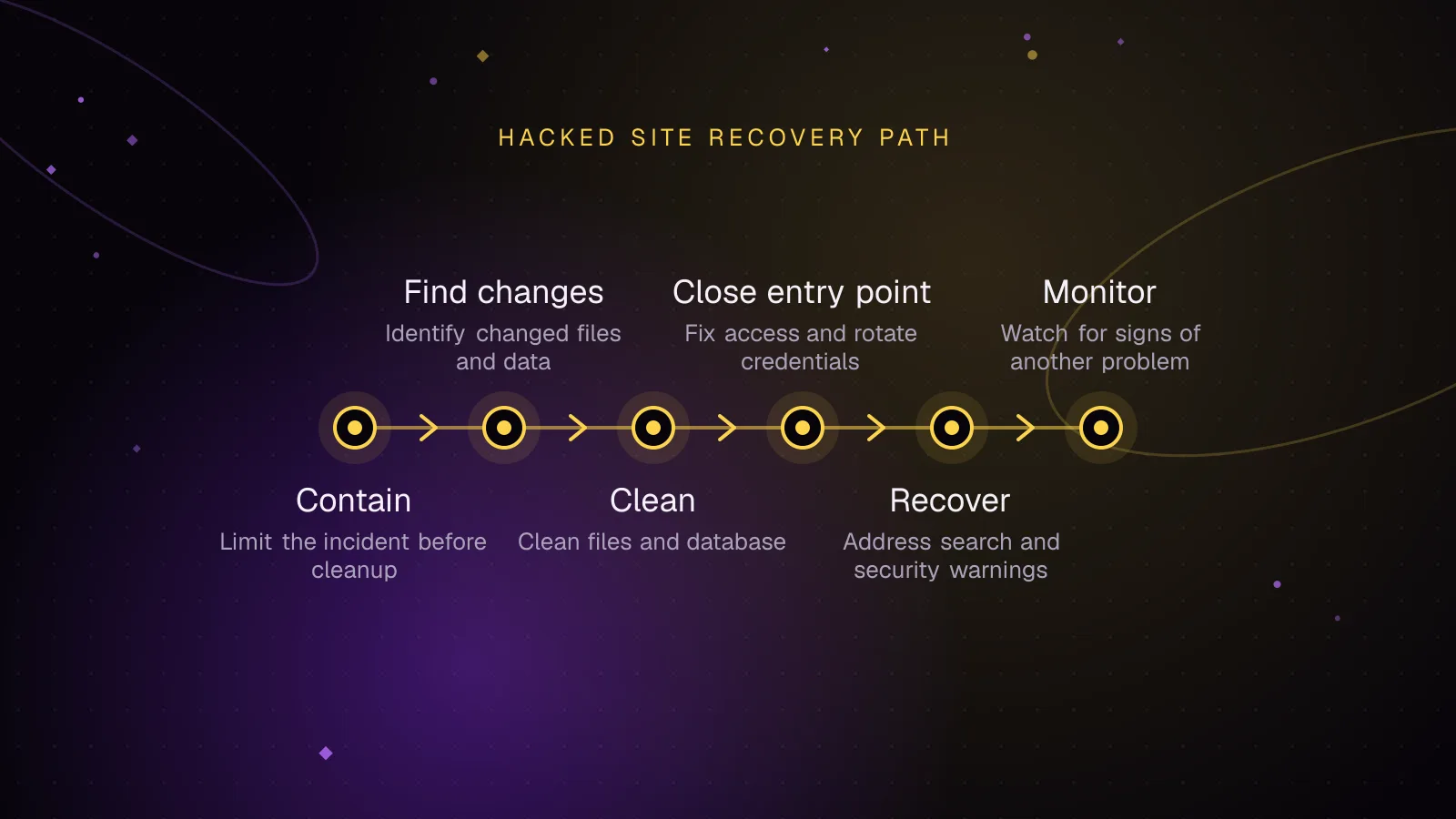
To clean a hacked WordPress site, contain it and keep a copy of the compromised files and database, then find what changed and replace compromised code from trusted sources. Close the entry point, rotate credentials and salts, clear search warnings and watch for reinfection.
- WordPress
- Security
- Malware
 Security
7 min read
Secure WordPress REST API endpoints: permission callbacks that hold up
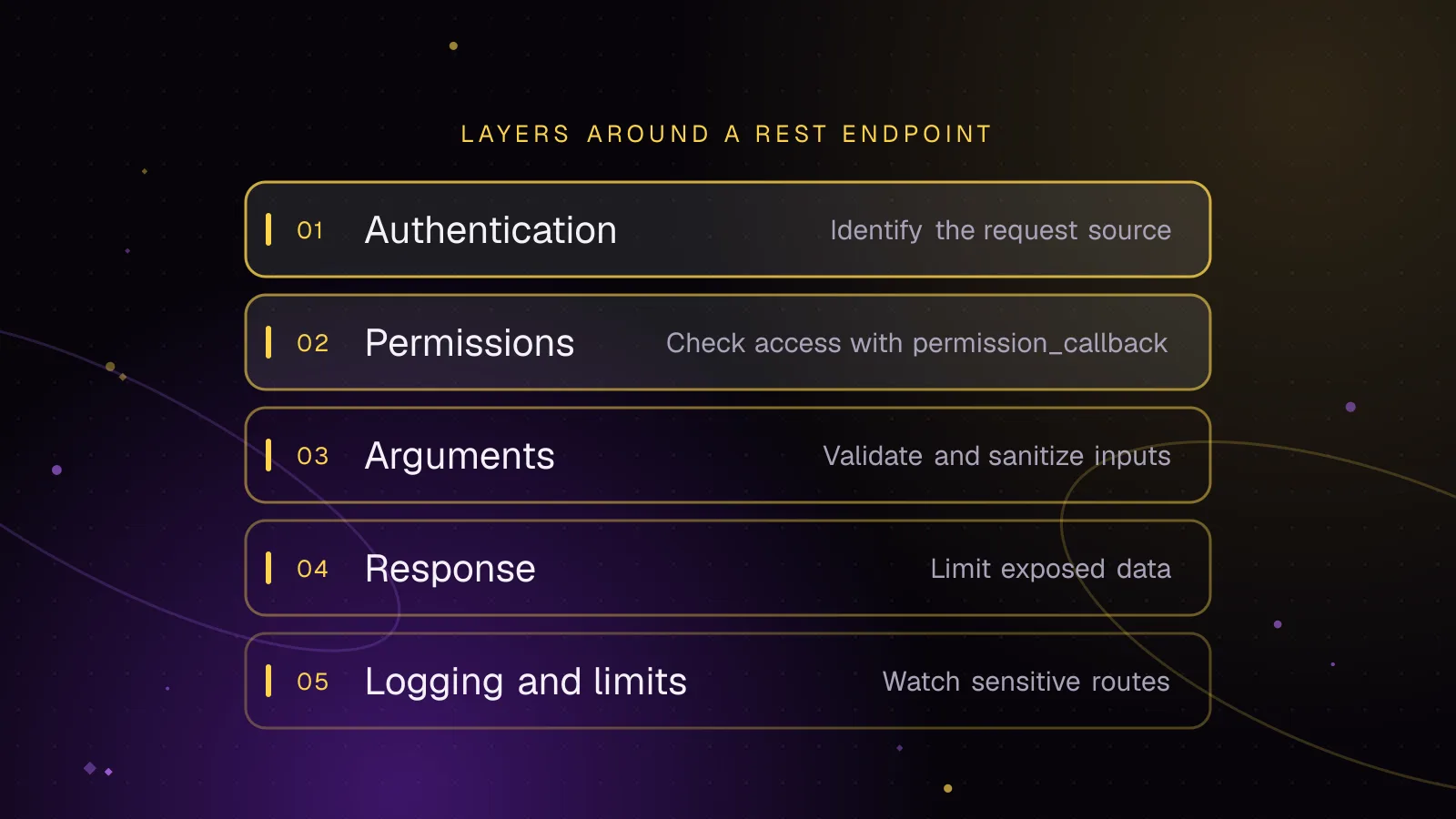
A WordPress REST API permission_callback should answer one question: can this authenticated user perform this specific action on this specific object? Pair that check with the right authentication method, strict argument validation, a narrow response shape, and limits on expensive or sensitive requests.
- WordPress
- Security
- REST API
 Security
7 min read
Cloudflare WAF rules for WordPress that block attacks, not customers
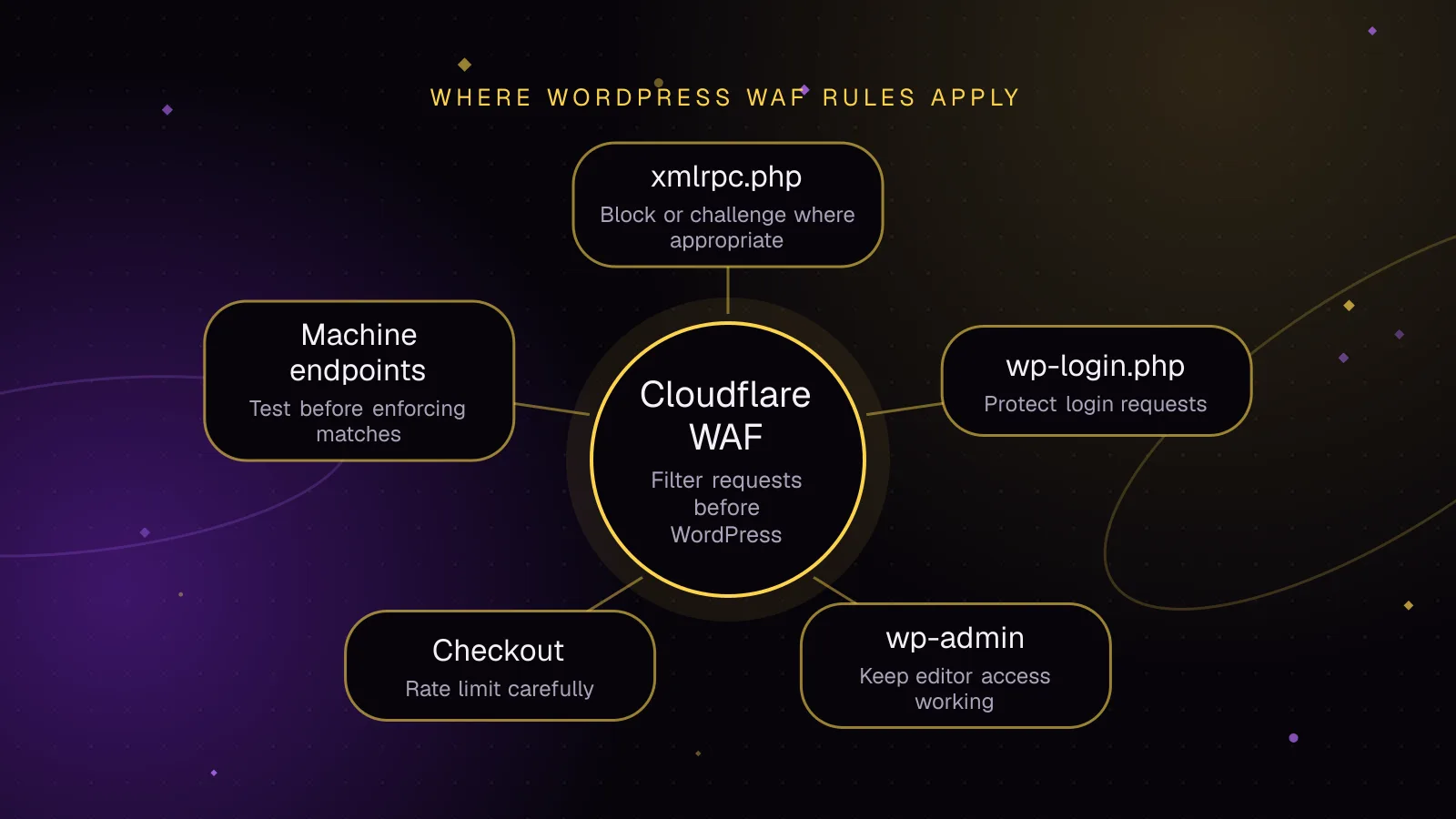
Cloudflare WAF rules for WordPress should match narrow paths, start in observation mode, and exclude machine-to-machine traffic before enforcement. Use custom rules for path-based blocking or challenges, rate limiting rules for repeated requests, and managed rules for Cloudflare-maintained exploit detection.
- WordPress
- Security
- Cloudflare