Development7 min read
WordPress plugin unit testing with wp-env and PHPUnit
Set up WordPress plugin unit testing with wp-env and PHPUnit, write integration tests, and run the same suite in GitHub Actions on pull requests.
 By Hamza Ahmad AslamWordPress VIP, Performance & Full-Stack Engineer
On this page
- What WordPress plugin unit testing should cover first
- How to start wp-env for WordPress plugin unit testing
- How to bootstrap PHPUnit inside wp-env
- Keep shared setup inside the test class
- How to write a passing WP_UnitTestCase test
- How to test hooks, REST routes and database changes
- How to run tests in GitHub Actions on every pull request
- What to do next
- Frequently asked questions
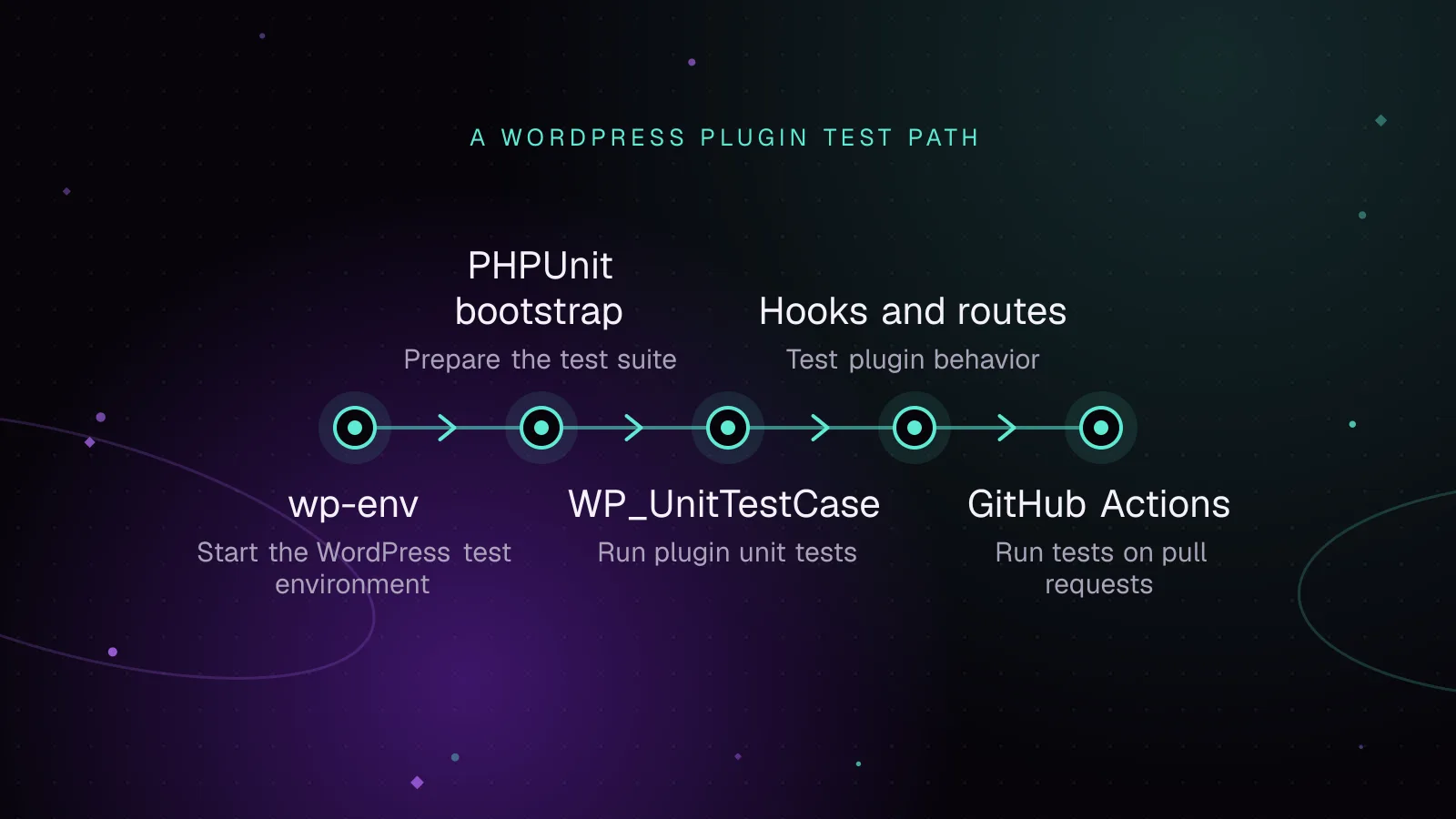
Short answer: WordPress plugin unit testing stays repeatable when pure PHP tests stay small and WordPress integration tests run in a wp-env environment. Set up wp-env, bootstrap the WordPress PHPUnit files through WP_TESTS_DIR, write tests with WP_UnitTestCase, then run the same command in GitHub Actions.
What WordPress plugin unit testing should cover first
Start by separating tests that need WordPress from tests that do not.
A unit test checks a small piece of PHP in isolation. It should not need the WordPress database, hooks, REST API, or a full WordPress bootstrap. A formatter, parser, value object, or calculation function is a good fit.
An integration test loads WordPress and checks how your plugin behaves with WordPress APIs. That includes hooks, posts, options, REST routes, and database writes. WordPress documentation uses the term unit test for many tests built on WP_UnitTestCase, but these are integration-style tests because WordPress and its test database are loaded.
Write them in this order:
- Test pure PHP code without WordPress when the behavior can stand alone.
- Add
WP_UnitTestCasetests for code that depends on WordPress. - Add focused tests around hooks, REST routes, and persistent data where a regression would matter.
The WordPress Core handbook explains the WP_UnitTestCase test model and factory API (opens in a new tab).
Do not mock large parts of WordPress just to call a test a unit test. If the code depends on get_option(), post factories, or REST dispatch, loading WordPress usually gives you a clearer test.
A useful first suite can be small. Cover one pure function, one database-facing path, and one public integration point. Add cases as plugin behavior grows.
Choose the test boundary from the code under test. If a class only receives strings and arrays, test it without WordPress. If it calls WordPress functions, responds to hooks, or stores WordPress data, put that behavior in an integration test.
This split also keeps failures useful. A pure test can point to a calculation or branch. A WordPress integration failure can point to registration, permissions, persistence, or API behavior. Mixing both styles in every test makes the cause harder to see.
WordPress plugin integration tests should use public behavior where possible. Call the method, hook, or route a plugin consumer uses. Assert the result or stored state instead of reaching into private properties.
How to start wp-env for WordPress plugin unit testing
@wordpress/env (opens in a new tab) runs a local WordPress environment with Docker. Install it as a development dependency from the plugin directory:
npm i @wordpress/env --save-dev
Create .wp-env.json for normal plugin development:
{
  "core": null,
  "plugins": [ "." ]
}
With core set to null, wp-env uses the latest production WordPress release. The "plugins": [ "." ] entry maps the current directory as a plugin and activates it.
Keep the test environment separate with a second config file and --config. Each config file gets its own Docker containers and data.
Create .wp-env.test.json:
{
  "core": null,
  "plugins": [ "." ],
  "port": 8889
}
The custom port keeps the test site apart from the normal development site. The wp-env documentation uses 8889 in its separate test-config example.
Assume the plugin directory name is acme-tools. Add these scripts to package.json:
{
  "scripts": {
    "env:start": "wp-env start",
    "test:env:start": "wp-env --config=.wp-env.test.json start",
    "test:env:stop": "wp-env --config=.wp-env.test.json stop",
    "test:php": "wp-env --config=.wp-env.test.json run cli --env-cwd=wp-content/plugins/acme-tools phpunit -c phpunit.xml.dist"
  }
}
Start the isolated environment once:
npm run test:env:start
The --env-cwd option changes the working directory inside the container. That lets PHPUnit find the plugin's phpunit.xml.dist, bootstrap file, and tests without host-specific paths.
How to bootstrap PHPUnit inside wp-env
wp-env includes PHPUnit and the WordPress PHPUnit test files that match the installed WordPress version. Inside the container, WP_TESTS_DIR points to those WordPress test files.
Create phpunit.xml.dist:
<phpunit bootstrap="tests/bootstrap.php" colors="true">
    <testsuites>
        <testsuite name="Plugin integration tests">
            <directory suffix="Test.php">tests/integration</directory>
        </testsuite>
    </testsuites>
</phpunit>
Then create tests/bootstrap.php:
<?php

$tests_dir = getenv( 'WP_TESTS_DIR' );

if ( ! $tests_dir ) {
    exit( 'WP_TESTS_DIR is not set.' );
}

require_once $tests_dir . '/includes/functions.php';

tests_add_filter(
    'muplugins_loaded',
    static function () {
        require dirname( __DIR__ ) . '/acme-tools.php';
    }
);

require $tests_dir . '/includes/bootstrap.php';
The first include makes the WordPress test helper functions available. tests_add_filter() registers the plugin loader before WordPress starts, and the final include boots the test installation. Replace acme-tools.php with your plugin's main file.
wp-env supplies a default wp-tests-config.php, so this setup does not need a host-side WordPress test library. WP-CLI's plugin test scaffold follows the same WP_TESTS_DIR bootstrap pattern.
PHPUnit's official documentation (opens in a new tab) links the manuals for supported releases. Keep your XML simple unless the suite needs a documented PHPUnit feature.
Keep shared setup inside the test class
WordPress wraps PHPUnit setup methods with snake-case methods for cross-version support. If you override set_up(), call the parent method first.
private $post_id;

public function set_up() {
    parent::set_up();

    $this->post_id = self::factory()->post->create(
        array(
            'post_status' => 'publish',
        )
    );
}
Use shared setup only when several tests need the same fixture. A fixture is test data created for a known case. WordPress test factories make that data without depending on content from your development site.
How to write a passing WP_UnitTestCase test
Create tests/integration/PostFactoryTest.php:
<?php

class Acme_Tools_Post_Factory_Test extends WP_UnitTestCase {

    public function test_factory_creates_published_post() {
        $post = self::factory()->post->create_and_get(
            array(
                'post_title'  => 'Fixture post',
                'post_status' => 'publish',
            )
        );

        $this->assertSame( 'Fixture post', $post->post_title );
        $this->assertSame( 'publish', $post->post_status );
    }
}
self::factory() gives the test access to WordPress factories for objects such as posts, users, terms, and comments. create_and_get() creates the post and returns its object.
Run the suite from the host:
npm run test:php
Example output, shown only to illustrate a successful run:
.                                                                   1 / 1 (100%)

OK (1 test, 2 assertions)
The host command does not depend on a local PHP, MySQL, or PHPUnit installation. The test runs in the wp-env container against its test database.
Tests should create the records they need. Do not make them depend on another test's posts or options. WordPress test cases clean up database changes between tests, so isolated fixtures also make failures easier to trace.
The WordPress test suite opens a database transaction before each test and rolls it back afterward. Posts, users, and options created inside a normal test do not carry into the next one. Some SQL statements can force a commit, so keep schema-changing SQL out of ordinary plugin tests unless the test is specifically about schema work.
The suite also resets registered actions and filters after each test. You still need to reset any custom globals or static state your plugin owns. That keeps the result independent of test order.
How to test hooks, REST routes and database changes
For hooks, call the hook and assert the behavior your plugin attaches to it. This example assumes the plugin adds a prefix to the acme_tools_label filter:
public function test_label_filter_adds_prefix() {
    $result = apply_filters( 'acme_tools_label', 'Report' );

    $this->assertSame( '[ACME] Report', $result );
}
For a database change, trigger the public action that causes the write. Then read the value through the WordPress API. This example assumes the plugin stores the last synced post ID in an option:
public function test_sync_action_updates_last_post() {
    $post_id = self::factory()->post->create();

    do_action( 'acme_tools_sync', $post_id );

    $this->assertSame(
        $post_id,
        (int) get_option( 'acme_tools_last_synced_post' )
    );
}
That test checks the behavior from the hook through the database write. It does not need direct SQL.
For a REST route, build a WP_REST_Request and dispatch it through the WordPress REST server:
public function test_status_route_returns_success() {
    $request  = new WP_REST_Request( 'GET', '/acme-tools/status' );
    $response = rest_get_server()->dispatch( $request );

    $this->assertSame( 200, $response->get_status() );
    $this->assertSame(
        array( 'status' => 'ok' ),
        $response->get_data()
    );
}
Register plugin routes on rest_api_init with register_rest_route() (opens in a new tab). Since WordPress 5.1.0, registering a route before rest_api_init triggers an incorrect-usage notice. Since WordPress 5.5.0, omitting permission_callback does too.
Test authorization separately from a success response. Set the current user or authentication state required by your route, dispatch a request, and assert the returned status or error. Keep each test focused on one behavior.
For code that changes several records, assert the state that matters after the public operation finishes. Avoid testing WordPress itself. Your test should prove that your callback, route, or service caused the expected WordPress state.
How to run tests in GitHub Actions on every pull request
Store the workflow under .github/workflows/plugin-tests.yml. GitHub documents the pull_request trigger and workflow keys in its workflow syntax reference (opens in a new tab).
name: Plugin tests

on:
  pull_request:

permissions:
  contents: read

jobs:
  phpunit:
    runs-on: ubuntu-latest

    steps:
      - name: Check out repository
        uses: actions/checkout@v7

      - name: Set up Node.js
        uses: actions/setup-node@v7
        with:
          node-version: 24
          cache: npm

      - name: Install Node dependencies
        run: npm ci

      - name: Start WordPress test environment
        run: npm run test:env:start

      - name: Run PHPUnit
        run: npm run test:php
Commit package-lock.json so npm ci installs the dependency tree recorded by the project. The workflow then runs the same wp-env scripts used on a developer machine.
This parity matters when a test passes locally but fails in CI. Keep the environment command, PHPUnit config, bootstrap, and test paths in the repository rather than copying CI-only setup into the workflow.
Do not put secret database credentials in the workflow for this setup. wp-env creates the test environment inside the job. The repository only needs the wp-env config, npm metadata, PHPUnit config, bootstrap, and test files.
A failed PHPUnit command makes that workflow step fail, so the pull request check exposes the test failure. Keep the command small and direct. Extra shell logic can hide which process returned the error.
If that PHPUnit check should also gate a build and deployment, the WordPress CI/CD guide shows how to carry the same test command into a build and safe deploy pipeline.
If the plugin also has coding-standard checks or JavaScript tests, keep them as separate jobs or steps with clear names. A PHP integration failure should be easy to identify from the pull request checks.
What to do next
Add one integration test around the plugin behavior that would be most expensive to break: a write, permission check, route, scheduled callback, or public hook. Once that test is stable, add a case for the next risky path instead of trying to cover the whole plugin at once.
If automated tests feed a controlled release process, use the WordPress VIP development guide to place them alongside review and deployment checks.
Tests catch regressions in your code, but they do not tell you when a dependency gains a known security issue. Pair the suite with WordPress plugin vulnerability monitoring so dependency updates have a clear reason and a repeatable test path.
If the missing test seams expose tightly coupled plugin code, split the code into smaller services before adding more mocks. The custom WordPress plugin development service covers plugin architecture and implementation when that refactor needs outside engineering help.
Frequently asked questions
Is WP_UnitTestCase for unit tests or integration tests?
WP_UnitTestCase loads WordPress and uses its test database, so plugin tests built on it are usually integration tests in the strict testing sense. Keep pure PHP unit tests separate when they do not need WordPress.
Do I need Composer to run PHPUnit with wp-env?
Not for the setup shown here. wp-env makes PHPUnit available inside its CLI container, so the npm script can call phpunit through wp-env run cli.
Should I use the old wp-env tests environment?
Use a separate wp-env config file with --config for new setups. That is the current documented path for an isolated test environment.
How do I run one PHPUnit test while debugging a plugin?
Pass PHPUnit a test file or a supported filter argument through the same wp-env command used by the full suite. Keep the same bootstrap and container so debugging does not switch to a different WordPress or PHP setup.
Share this article
Enjoyed this? Get the next article by email.
Keep reading
 Development
6 min read
How to write a custom WP-CLI command for your plugin
Build a WP CLI custom command for a plugin with validated arguments, dry runs, batching, progress output, formats, exit codes, staging and cron.
- WP-CLI
- WordPress
- Plugins
 Development
5 min read
WordPress plugin database migrations with dbDelta, done safely
Run WordPress plugin database migrations safely with dbDelta, schema versions, one-time upgrades, batched data changes, multisite checks and rollback plans.
- WordPress
- Plugins
- Database
 Monitoring
7 min read
How to test WordPress plugin updates before they reach production
Test WordPress plugin updates on staging, check key site flows, deploy one change at a time, and roll back cleanly if an update causes trouble.
- WordPress
- Plugins
- Monitoring