Is it hacked? The first hourChapter 2 of 329 min read
WordPress Site Hacked? What to Do in the First Hour
Confirmed a WordPress hack? Record what happened, restrict public harm, preserve the compromised state, protect access and collect the records you will need for cleanup.
 By Hamza Ahmad AslamAI & WordPress Developer | Speed Optimization & Site Security
In this guide
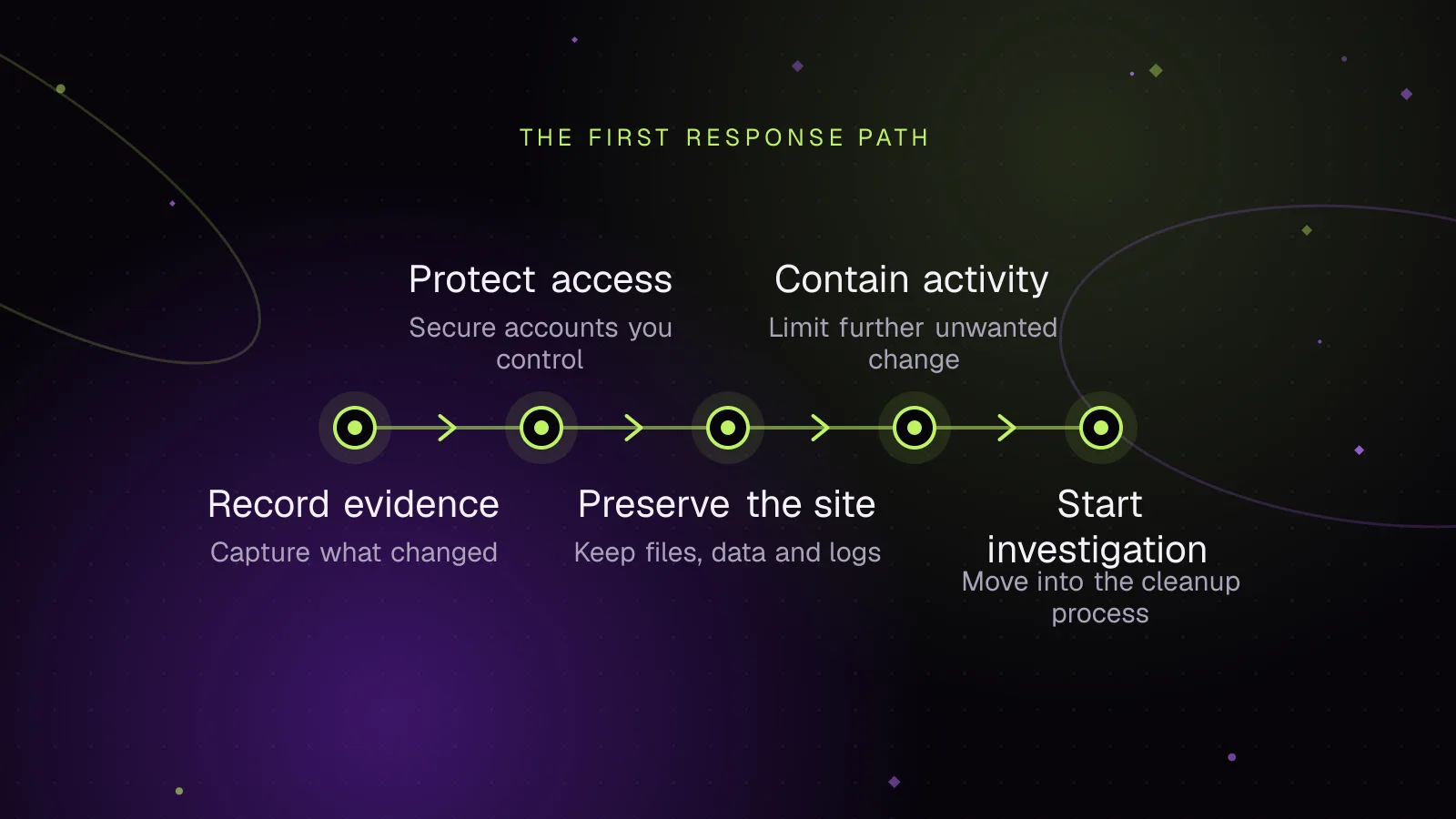
If your WordPress site is hacked, what to do first is preserve what happened while limiting further harm. Record the symptoms, restrict dangerous public access, protect administrative access and save the compromised files, database and available logs before cleanup. The first hour is containment, not malware removal.
What should I do first when my WordPress site is hacked?
First, record the incident, contain harmful public behavior, preserve the compromised state and secure access without deleting evidence. WordPress's hacked-site documentation (opens in a new tab) also starts with documenting what you observed and when you observed it.
Use this order:
- Record the time, symptoms, affected URLs and warnings before changing the site.
- Restrict public access if visitors could encounter malware, phishing, unwanted redirects or a compromised checkout.
- Contact the host and ask it to preserve relevant account records.
- Save the current files and database, or obtain a host snapshot, before destructive cleanup.
- Protect hosting, SSH or SFTP and administrator access.
- End WordPress login sessions after the compromised state has been preserved.
- Investigate from copies rather than deleting suspicious material from the only copy you have.
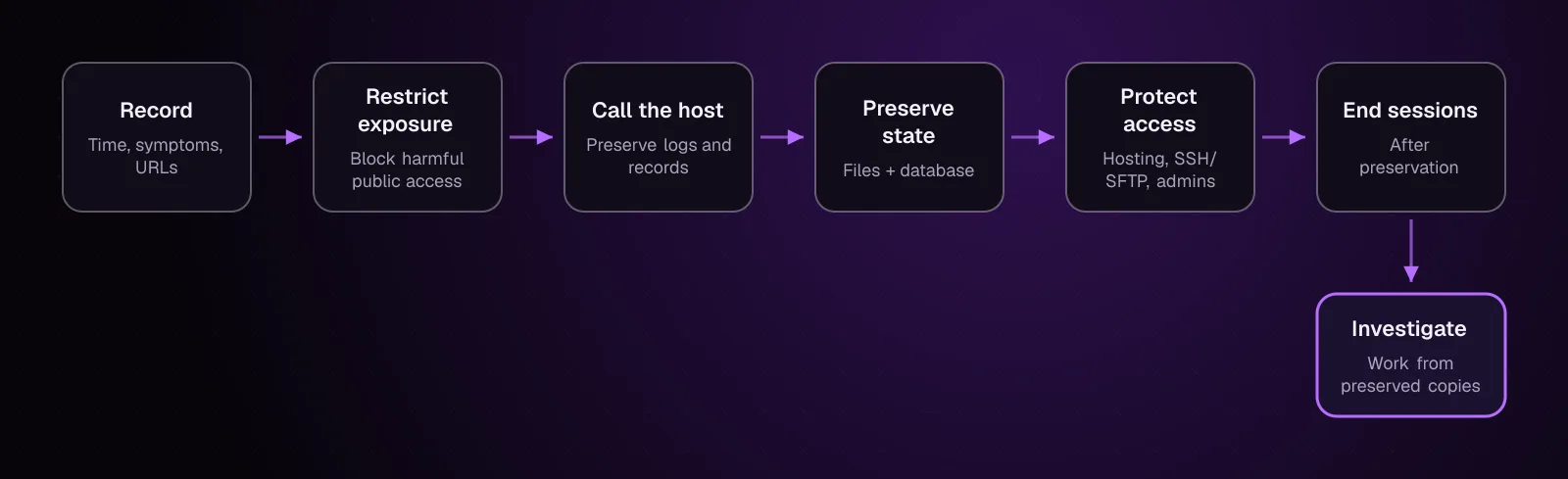
The order matters because cleanup changes the evidence. A deleted file, overwritten database row or restored backup can remove information that would have shown when the compromise happened or how access was gained.
What should I record before I change anything?
Record what you can observe without altering the compromised site. That gives you a starting point for the incident timeline and helps another developer, your host or an investigator understand what existed before containment.
Write down:
- The date, time and timezone when you discovered the problem.
- Who discovered it and how.
- The exact URLs where the problem appeared.
- Redirect destinations, browser warnings, hosting alerts or malware notices.
- Unexpected users, posts, pages or other visible changes.
- Recent legitimate changes you already know about.
- Who had WordPress, hosting, SFTP or SSH access.
- Actions already taken since discovery.
Save screenshots of visible symptoms and alerts. If a redirect is involved, record the source and destination as text too.
A simple incident document is enough for the first hour. The Website incident report template for WordPress outages gives you a structure you can keep using during recovery.
Should I take a hacked WordPress site offline?
Restrict public access when the compromised site may harm visitors, expose a changed checkout, distribute malware, host phishing content or redirect people somewhere unsafe. Prefer a host, proxy or web-server control that applies before WordPress executes.
If WordPress still works, WP-CLI has a documented maintenance-mode command (opens in a new tab):
wp maintenance-mode activate
wp maintenance-mode status
The first command activates WordPress maintenance mode. The second reports its status.
WordPress checks maintenance mode while WordPress itself is loading. Core's maintenance check uses the .maintenance file in the WordPress root. A malicious standalone script that executes without loading WordPress does not depend on that WordPress check.
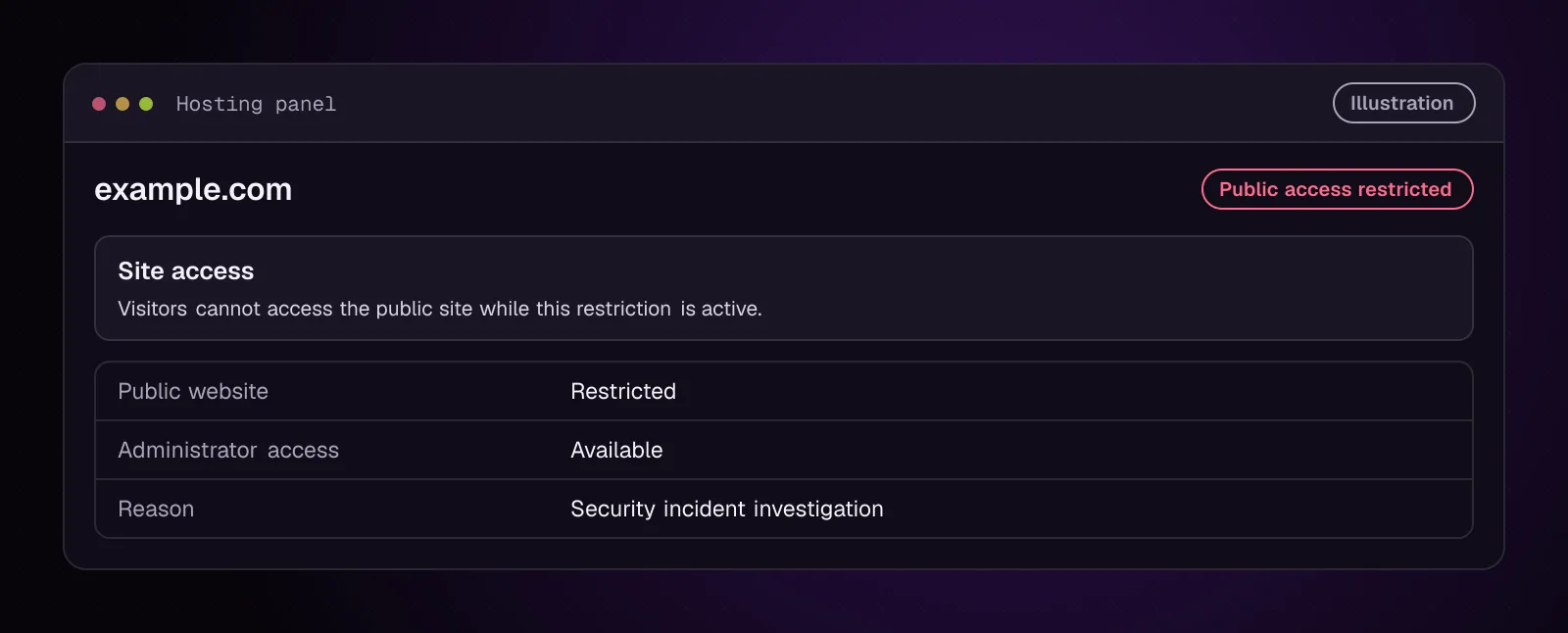
Do not assume that taking the public site offline has removed the attacker's access. It limits exposure while you preserve evidence and control accounts.
What should I avoid doing in the first hour?
Avoid changes that destroy the state you still need to investigate. Removing the visible symptom before preservation can make the later investigation harder without removing the attacker's other access.
Do not:
- Delete suspicious files as soon as you find them.
- Empty infected directories before making a preserved copy.
- Run broad database search-and-replace operations.
- Delete unknown users before recording them and preserving the database.
- Update WordPress, plugins and themes over the compromised copy merely to see whether the symptoms disappear.
- Restore a backup over the current files and database before preserving the compromised state.
- Assume one malicious file is the entire incident.
The full cleanup comes later. How to clean a hacked WordPress site and stop it happening again covers the wider recovery problem, while this chapter keeps the first-hour state intact.
Which access should I protect right away?
Protect the accounts that can still change the compromised environment: the hosting account, SSH or SFTP access and WordPress administrator accounts. Use a device you trust when changing credentials, especially if stolen credentials are one possible entry point.
For the first hour:
- Secure the hosting account and its recovery methods.
- Revoke or replace SSH or SFTP access that should no longer work.
- Change passwords for WordPress administrators who need to retain access.
- Record unexpected administrators before removing them.
- End existing WordPress sessions after the hacked-state copy has been preserved.
The WordPress hardening documentation recommends strong passwords and describes hosting, WordPress and file-transfer access as security boundaries. A full credential and secret inventory belongs in chapter 22.
How do I end active WordPress login sessions?
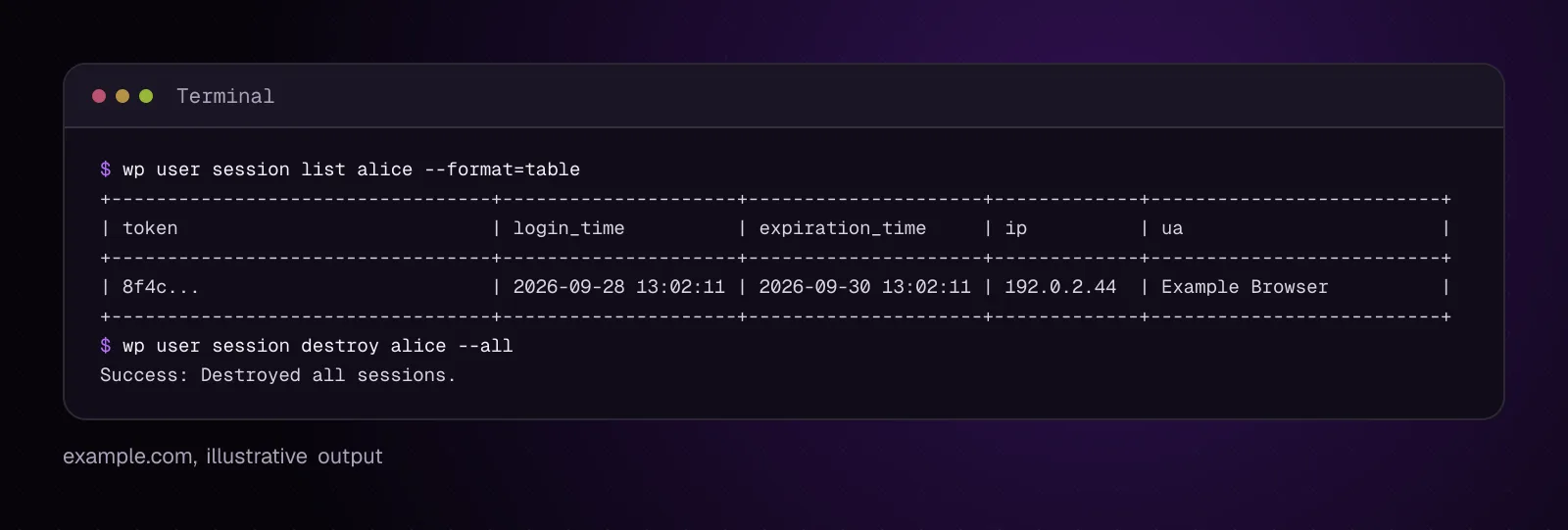
After preserving the hacked state, list sessions for an administrator and destroy sessions you no longer want active. The current WP-CLI session documentation (opens in a new tab) accepts a user ID, email address or login.
For an illustrative administrator named alice:
wp user session list alice --format=table
--format=table is a supported output format and is also the documented default.
Example output, illustrative:
+----------------------------------+---------------------+---------------------+-------------+--------------------------+
| token                            | login_time          | expiration_time     | ip          | ua                       |
+----------------------------------+---------------------+---------------------+-------------+--------------------------+
| 8f4c...                          | 2026-09-28 13:02:11 | 2026-09-30 13:02:11 | 192.0.2.44  | Example Browser          |
+----------------------------------+---------------------+---------------------+-------------+--------------------------+
To destroy every WordPress session for that user:
wp user session destroy alice --all
--all destroys all sessions belonging to the specified user. This changes stored session data, so run it after the compromised database state has been preserved.
To destroy sessions for every WordPress user, WP-CLI documents this pipeline:
wp user list --field=ID | xargs -n 1 wp user session destroy --all
That command obtains user IDs and runs the all-session destruction command for each ID. It logs everyone out, including legitimate users.
Another documented option is to refresh the WordPress salts in wp-config.php:
wp config shuffle-salts
The WP-CLI salt command (opens in a new tab) refreshes the WordPress salt definitions in wp-config.php. WordPress's hacked-site documentation also describes replacing the secret keys as a way to force existing logged-in users off.
Changing salts does not remove malware or close hosting, SSH or SFTP access. It deals with WordPress authentication sessions.
What should I ask my hosting company to preserve?
Ask the host to preserve records that may disappear or be overwritten while you investigate. Do this before asking support to rebuild, restore or clean the account.
Request any available:
- HTTP access logs for the affected domain.
- Web-server and PHP error logs.
- Hosting account or server snapshots from around the incident.
- Malware-scan findings, including filenames and detection times.
- Suspension or abuse notices and the evidence behind them.
- Account-level authentication or access records the host can provide.
- Information about other sites affected under the same hosting account.
Do not assume every host stores every item or keeps it for the same period. Ask what exists and what can be retained now.
CISA's incident-response guidance (opens in a new tab) recommends retaining relevant logs and preserving evidence that is volatile or limited by retention. It also discusses point-in-time snapshots for later forensic review.
How do I preserve the hacked site before cleanup?
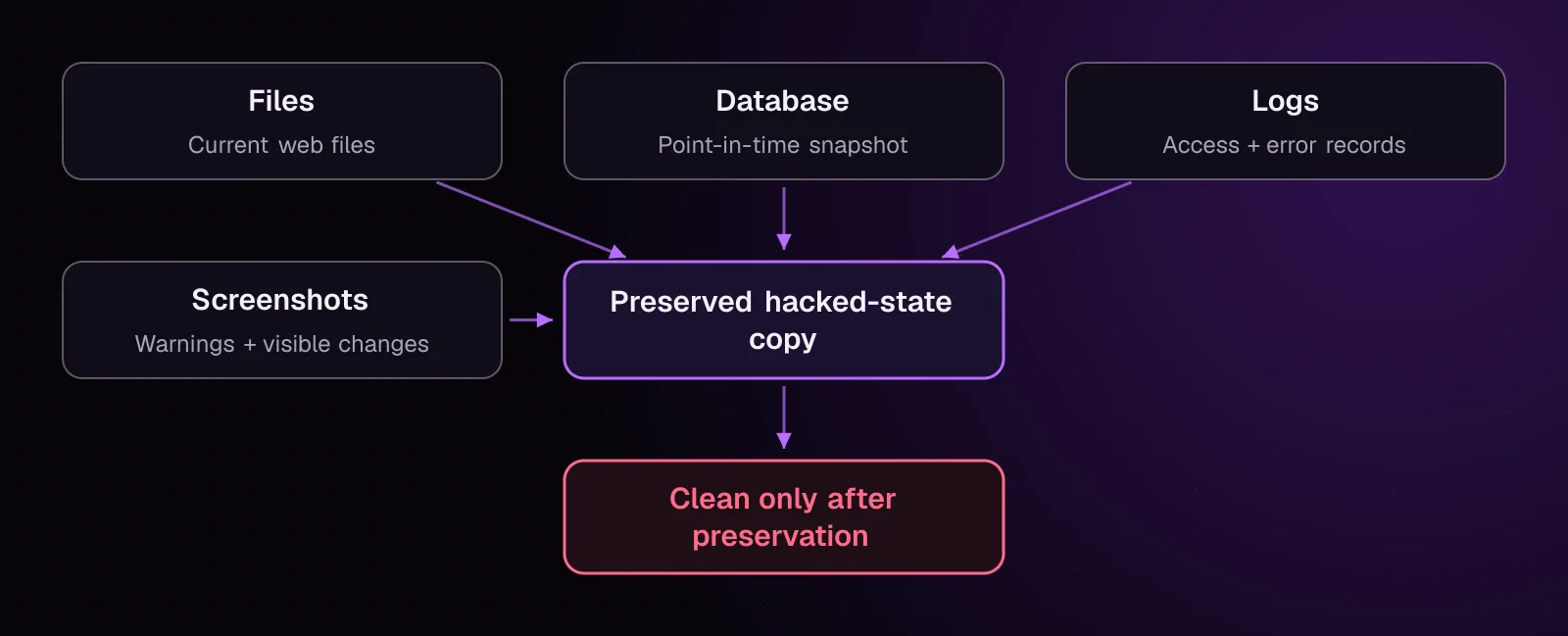
Preserve a complete copy of the compromised WordPress files and database before you begin removing malware. Store that copy away from the production web root and label it so nobody mistakes it for a clean backup.
At minimum, preserve:
- The files currently present in the WordPress installation and relevant account directories.
- A database snapshot from the same stage of the incident.
- The logs and host records you were able to obtain.
- Screenshots and your written incident timeline.
- Any host malware report or suspension notice.
Do not browse an infected backup as if it were a normal website or deploy it to another public server. Treat it as untrusted material.
Chapter 4, How to Back Up a Hacked WordPress Site Before You Clean It, gives the full file and database procedure.
How do I know the site is contained enough to investigate?
The site is contained enough for the next investigation step when immediate public harm is blocked, administrative access is controlled and evidence is preserved or actively being preserved. Containment does not mean the site is clean.
Check these conditions:
- Visitors cannot reach a checkout, redirect, phishing page or malicious file that you know is affected.
- The host account and necessary administrative access are under your control.
- Unneeded WordPress sessions have been ended after preservation.
- A hacked-state file and database copy exists or is being captured.
- Relevant host logs and incident records have been requested.
- You are no longer making untracked changes to production.
If you cannot control hosting access, the incident may extend beyond WordPress. Ask the host or a qualified incident responder to help establish the scope.
How do I stop the same first-hour mistakes next time?
Prepare the records and recovery paths before the next incident. The goal is to make preservation and containment routine rather than something you invent while the site is compromised.
Keep:
- An incident record template with owners and contact details.
- Backups that are separated from the production account and tested through restoration.
- A current list of people and systems with administrative access.
- Access and error logs with retention suitable for your environment.
- Monitoring that can alert you to outages, changed files or other security signals you decide to track.
After recovery, review which evidence was unavailable this time and adjust logging or backup retention where needed.
What changes for different kinds of WordPress sites?
The containment goal stays the same, but the first thing you protect depends on what the site does.
WooCommerce stores: If the checkout may have been altered, stop accepting payments through the affected checkout. If payment card data may be involved, contact your payment provider or acquirer before changing evidence around the payment flow. PCI SSC guidance says compromised merchants should work with their acquirer and payment brands, and a payment investigation may require a PCI Forensic Investigator. See its guidance for breach investigations (opens in a new tab).
Multisite: Treat the WordPress network as the working scope until the investigation establishes which sites, network users, plugins and themes were affected. Do not assume that one visibly changed site is the only affected site.
Shared hosting: Ask the host to preserve account-level records and inspect sibling sites. WordPress's hacked-site documentation specifically warns that a compromise on shared hosting may affect more than one site.
Membership and course sites: Preserve user records and available access records before mass password resets or user deletion if account misuse may be part of the incident. Those records can help establish which accounts changed and when.
News sites: Preserve altered posts, author records and affected URLs before normal editorial work replaces them. Keep the incident timeline separate from subsequent legitimate edits.
What should I do after the first-hour containment steps?
If the attacker locked you out of WordPress, continue with chapter 3, Locked Out of WordPress Admin After a Hack: How to Get Back In. If you still have the access needed to preserve the compromised state, continue with chapter 4, How to Back Up a Hacked WordPress Site Before You Clean It.
Frequently asked questions
Should I delete malware as soon as I find it?
No. Preserve the compromised files and database first, then remove confirmed malicious material during cleanup. Deleting the first suspicious file can destroy evidence while leaving other persistence mechanisms untouched.
Should I update WordPress before I make a hacked-site backup?
Preserve the compromised state first. An update overwrites files and changes the environment you are trying to understand, so apply updates later as part of a controlled cleanup and recovery process.
Should I restore yesterday's backup immediately after a hack?
Preserve today's compromised state before overwriting production with any backup. You also need to establish whether yesterday's backup predates the compromise rather than assuming its date makes it clean.
Can I keep taking orders while I investigate a hacked WooCommerce store?
Stop accepting payments through the affected checkout if its code or payment flow may have been altered. Contact the payment provider or acquirer if payment information may be involved and follow its incident process before changing payment-related evidence.
Should I contact my host before I clean WordPress?
Yes, especially when you need logs, snapshots, malware findings or help restricting public access. Ask the host to preserve available records before a restore, cleanup or account rebuild changes them.
Do I need to save screenshots of a hacked WordPress site?
Save screenshots of visible warnings, redirects, defacement, unexpected users and hosting notices when they help document what you found. Also record the affected URLs, discovery time and timezone as text so the incident record does not depend on screenshots alone.
Sources
- FAQ My site was hacked (opens in a new tab)
- Hardening WordPress (opens in a new tab)
- wp maintenance-mode (opens in a new tab)
- wp maintenance-mode activate (opens in a new tab)
- wp_is_maintenance_mode() (opens in a new tab)
- wp user session list (opens in a new tab)
- wp user session destroy (opens in a new tab)
- wp config shuffle-salts (opens in a new tab)
- #StopRansomware Guide (opens in a new tab)
- A Closer Look: The PCI Forensic Investigator (PFI) Program (opens in a new tab)
How this article was made: drafted with AI assistance from a researched brief, then checked against primary documentation before publishing.